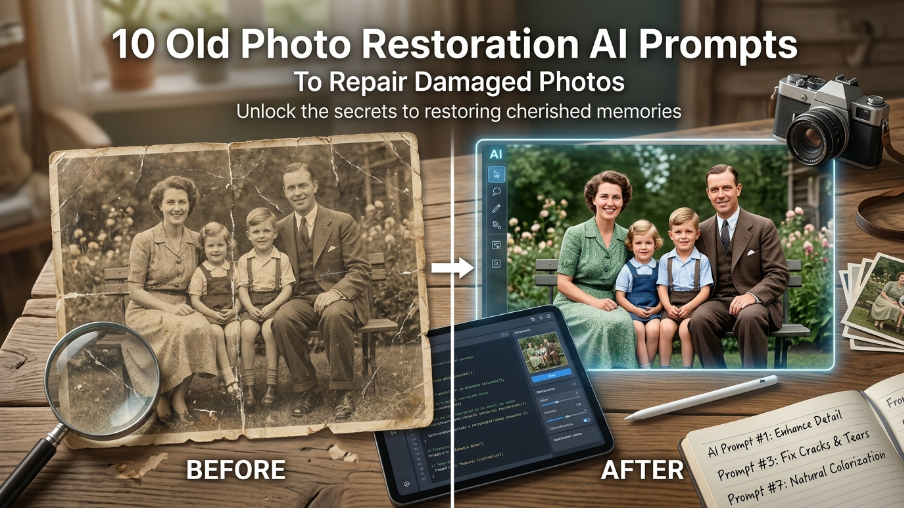
Old photo restoration prompts need to be careful because the goal is not to create a new person. The best prompt repairs scratches, fading, blur, stains, and missing detail while keeping the same face, age, clothing, and memory intact. Use these prompts when you want a cleaner version of an old image before making a creative edit. If the image is already restored and you want a more cinematic version, the old photo restoration prompt guide gives more examples for advanced repairs.
Best prompt to start with: Start with Prompt #1 for most damaged or faded family photos.
Quick Checklist Before You Use These Prompts
- Scan the photo or take a clear picture in soft light.
- Crop out table edges and glare.
- Do not ask AI to change the person.
- Mention the damage clearly.
- Generate more than one version and choose the most natural result.
Old Photo Restoration Prompt Formula
Use this formula: repair damage + restore face detail + keep same identity + correct color or contrast + remove scratches + preserve original clothing + realistic photo finish. The most important line is always to keep the same person and avoid changing facial features.
Quick Comparison Table
| Prompt type | Best use |
|---|---|
| Full restoration | Old damaged photos |
| Color correction | Faded color photos |
| Black and white cleanup | Archive portraits |
| Scratch removal | Torn or dusty prints |
| Face detail recovery | Blurry portraits |
1. Complete Old Photo Repair Prompt
This prompt is the safest starting point when the photo has multiple problems at once. It repairs fading, scratches, dust, and blur while keeping the original person unchanged. Use it before trying any creative portrait conversion.
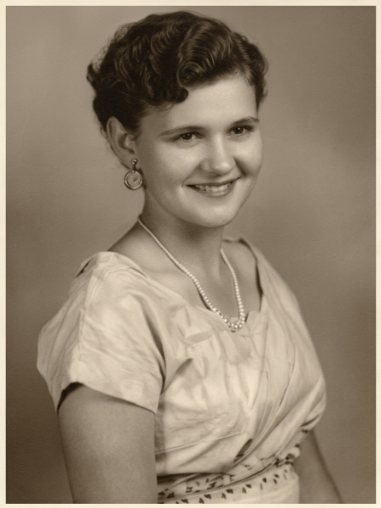
Use the uploaded old photo as the only reference. Restore the image carefully while preserving the exact same person, face shape, age, expression, clothing, pose, background, and original composition. Remove scratches, dust, stains, faded patches, paper marks, small tears, and low contrast without changing identity. Recover facial clarity gently, improve eyes and hair detail only from the original image, balance exposure, and keep natural photo grain and paper texture. Keep the restored image realistic, emotional, and true to the original era. Do not modernize the person, do not change clothing, do not invent new facial features, do not over-sharpen, do not create waxy skin, and do not make it look like digital art.
Best for: most damaged old photos.
Works best with: clear scans or well-lit phone photos.
2. Faded Photo Color Recovery Prompt
Use this when the image is visible but the colors look weak or washed out. The goal is to bring back natural tones without making the photo look like a new digital picture.
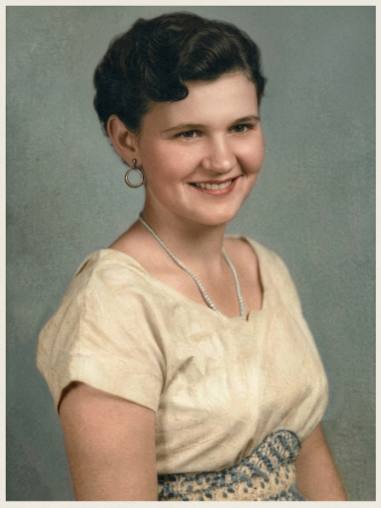
Use the uploaded faded color photo as the reference. Keep the same person, face, expression, clothing, pose, and original background unchanged. Gently restore faded colors, remove yellow or brown color cast, recover natural skin tones, improve contrast, and bring back fabric and background detail without making the photo look modern. Keep soft film grain, paper texture, and the original time-period mood. Avoid oversaturated colors, avoid changing the face, avoid replacing clothes, avoid removing all vintage texture, and keep the result like a professionally restored family photograph.
Best for: faded color prints.
Works best with: photos where the face is still visible.
3. Black and White Photo Cleanup Prompt
This is for old black-and-white photos that need cleaning, not colorization. It keeps the original monochrome feeling while improving sharpness, texture, and contrast.
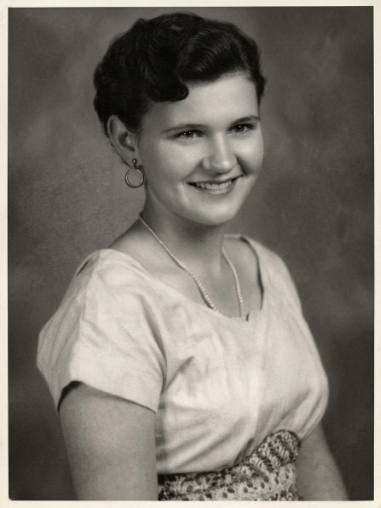
Clean the uploaded black-and-white old photo while preserving the same person, identity, facial structure, expression, clothing, pose, and original monochrome style. Remove dust, scratches, stains, uneven exposure, and paper marks. Improve sharpness gently, recover eyes and facial detail naturally, balance black-and-white contrast, and keep realistic film grain. Do not colorize this version, do not change the face, do not smooth skin like a modern selfie, do not add new background details, and do not turn the image into an illustration.
Best for: archive portraits.
Works best with: scanned black-and-white images.
4. Scratch Removal Prompt
Scratches can distract from a photo even when the face is still clear. This prompt focuses mainly on surface damage, so it is useful for prints that are dusty, cracked, or lightly torn.
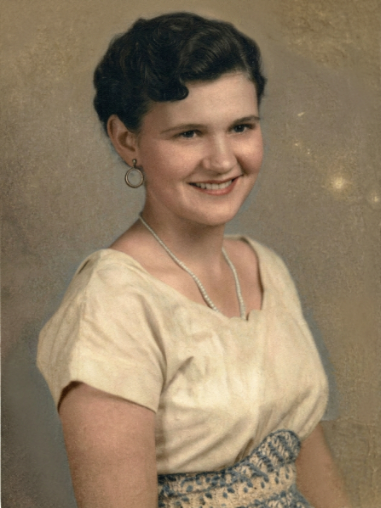
Repair the uploaded old photo by focusing mainly on scratch and surface damage removal. Keep the same person, face, expression, clothing, pose, and composition exactly unchanged. Remove thin scratches, dust spots, crease lines, small stains, and paper cracks. Rebuild damaged areas only using nearby texture and tone so the image stays believable. Preserve natural grain, original lighting, and vintage character. Do not change facial features, do not erase important details, do not over-blur the image, and do not make the restoration look artificial.
Best for: scratched prints.
Works best with: images with clear main subjects.
5. Blurry Face Detail Prompt
Use this only when the face is slightly blurry. If the face is completely missing, AI may invent details. Ask for gentle detail recovery instead of a full replacement.
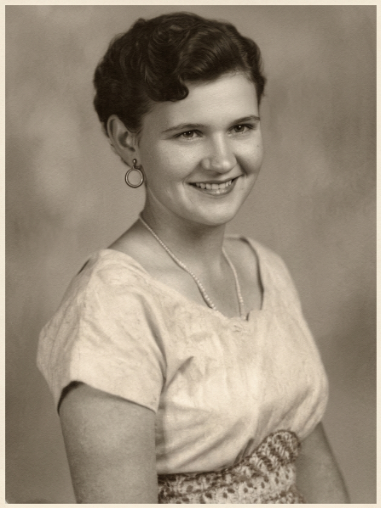
Enhance the uploaded old portrait with a slightly blurry face. Preserve the same identity, face shape, age, expression, clothing, and pose. Improve facial clarity gently: sharpen the eyes, mouth, hairline, and facial outline only enough to make the person recognizable, while keeping natural skin texture and vintage grain. Balance contrast and reduce blur without inventing new features. Do not create a different face, do not beautify heavily, do not make the skin waxy, do not add modern makeup, and do not over-sharpen edges.
Best for: slightly blurry portraits.
Works best with: close-up old photos.
6. Torn Edge Repair Prompt
This prompt is useful when the photo has broken edges or missing corners. It repairs the frame and background while avoiding changes to the main face or pose.
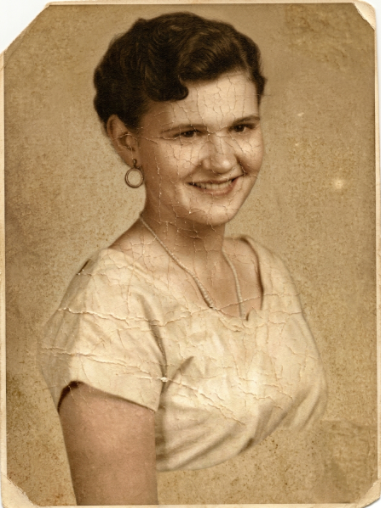
Restore the uploaded old photo with torn edges or missing corners while keeping the main person, face, clothing, pose, and original composition unchanged. Repair torn borders, cracked corners, missing paper areas, and background gaps using nearby texture and natural continuation. Improve contrast and clarity lightly, but keep the photo’s old-paper feel and original grain. Do not change the subject, do not invent new objects, do not crop away important details, do not modernize the image, and do not make the repaired edges look digitally perfect.
Best for: torn prints.
Works best with: photos where the main subject is not fully missing.
7. Old Family Photo Prompt
Family photos should look emotional and real, not over-polished. This prompt keeps the original relationship, pose, clothing, and mood while improving clarity. After restoring the image, you can use family-style prompts for creative edits.
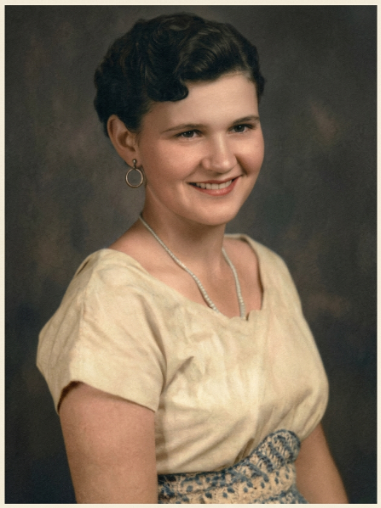
Restore the uploaded old family photo while preserving every person exactly as they appear. Keep all faces, expressions, age differences, clothing, poses, body positions, and group spacing unchanged. Remove dust, scratches, fading, paper marks, and low contrast. Improve facial visibility naturally for each person without replacing anyone’s features. Preserve the emotional family-photo feeling, original lighting direction, realistic grain, and paper texture. Do not remove people, do not add people, do not change faces, do not modernize outfits, and do not make the image look AI-generated.
Best for: family albums.
Works best with: group photos with visible faces.
8. Vintage Portrait Restoration Prompt
This prompt is for solo vintage portraits where you want a clean but still classic finish. It improves detail without removing the old-photo character completely.
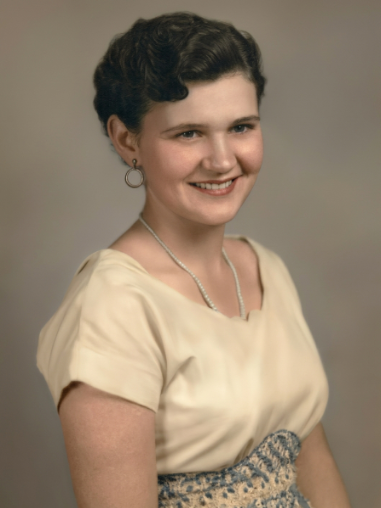
Restore the uploaded vintage solo portrait while keeping the same person, face shape, expression, hairstyle, clothing, pose, and studio composition unchanged. Remove dust, scratches, stains, faded areas, and uneven exposure. Improve detail in the eyes, hair, fabric, and background softly while preserving the vintage studio mood. Keep natural grain, realistic skin texture, and original lighting. Do not create a modern headshot, do not change the hairstyle, do not reshape the face, do not remove all film grain, and do not make the portrait look painted.
Best for: solo portraits.
Works best with: old studio photos.
9. Colorize Old Photo Prompt
Use this when you want a black-and-white image turned into color. Keep colorization gentle and realistic. Over-bright color can make old photos look fake.
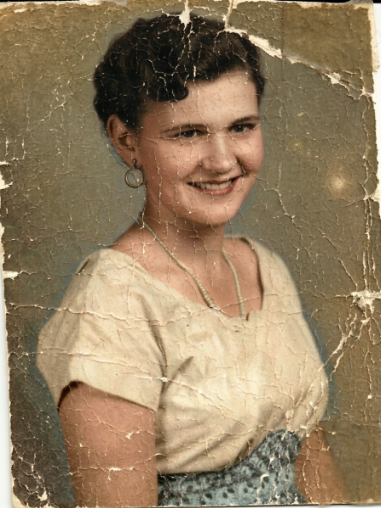
Colorize the uploaded black-and-white old photo while preserving the exact same person, face, expression, clothing, pose, and original composition. Add historically believable colors only: natural skin tones, muted clothing colors, realistic background shades, balanced highlights, and soft shadows. Keep the original photo grain, vintage mood, and paper texture. Do not use overly bright modern colors, do not change facial features, do not modernize clothing, do not remove all texture, and do not make it look like a painted illustration.
Best for: black-and-white memories.
Works best with: clear monochrome photos.
10. Museum Archive Restoration Prompt
This prompt gives a careful archival finish. It is not for dramatic edits; it is for clean, respectful restoration where the photo still feels old but easier to view.
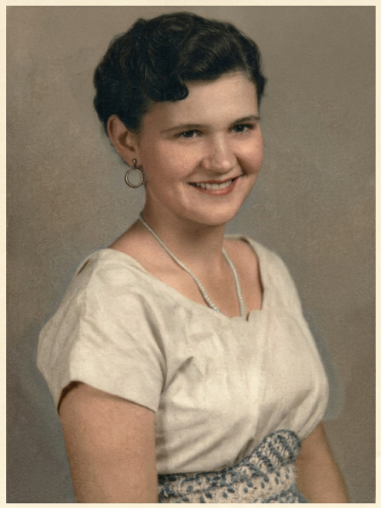
Restore the uploaded old photo with a careful museum-archive style. Preserve the exact same people, faces, clothing, pose, background, composition, and historical character. Clean dust, scratches, stains, fading, and uneven contrast while keeping the image authentic. Improve visibility gently without making the photo look new. Preserve paper texture, film grain, original lighting, and realistic tonal depth. Do not alter identities, do not add or remove objects, do not over-sharpen, do not colorize unless requested, and do not turn the photo into digital art.
Best for: respectful restoration.
Works best with: historical or family archive photos.
Result Tips for Better Old Photo Restoration
For the best result, upload the clearest version of the old photo and avoid screenshots with heavy compression. If the face changes, add this line to the prompt: preserve the exact same face, identity, facial structure, age, and original expression. If the output looks too smooth, ask for natural film grain, paper texture, realistic skin pores, and no plastic skin.
Common Mistakes to Avoid
- Asking AI to fully remake the person.
- Using a photo with glare from glass.
- Over-colorizing black-and-white images.
- Repairing faces too aggressively.
- Not keeping the original clothing and pose.
Related AI Photo Prompt Guides
For more restoration ideas, read the complete old photo restoration prompt guide and the ChatGPT old photo restoration prompts. If you are repairing family pictures, also check the mother and father AI image prompts for creative edits after restoration.
FAQ
What is the best AI prompt for old photo restoration?
The best prompt mentions the exact damage and asks AI to keep the same face, clothing, pose, and identity. This prevents the tool from creating a completely different person.
Can AI fix scratched old photos?
Yes, AI can often remove scratches, dust, fading, and small tears. Very damaged faces may need several generations to find the most natural result.
Should I colorize every old photo?
No. Some old photos look better in black and white. Colorize only when it adds clarity or emotional value.
Author note: These prompts are written for careful restoration, realistic detail recovery, and preserving the original person instead of replacing the memory.
More Photo Restoration Prompts
Use the complete old photo restoration prompt collection for more repair situations, or open the ChatGPT old photo restoration guide for ChatGPT-specific instructions.