A profile picture is a different job than a normal post. It gets cropped into a circle, shown at a tiny size next to your username, and has to read clearly at thumbnail size. The 25 copy-paste ChatGPT prompts below are built for that — centered framing, simple backgrounds, and a square crop called out explicitly, so the result actually survives being cropped small.
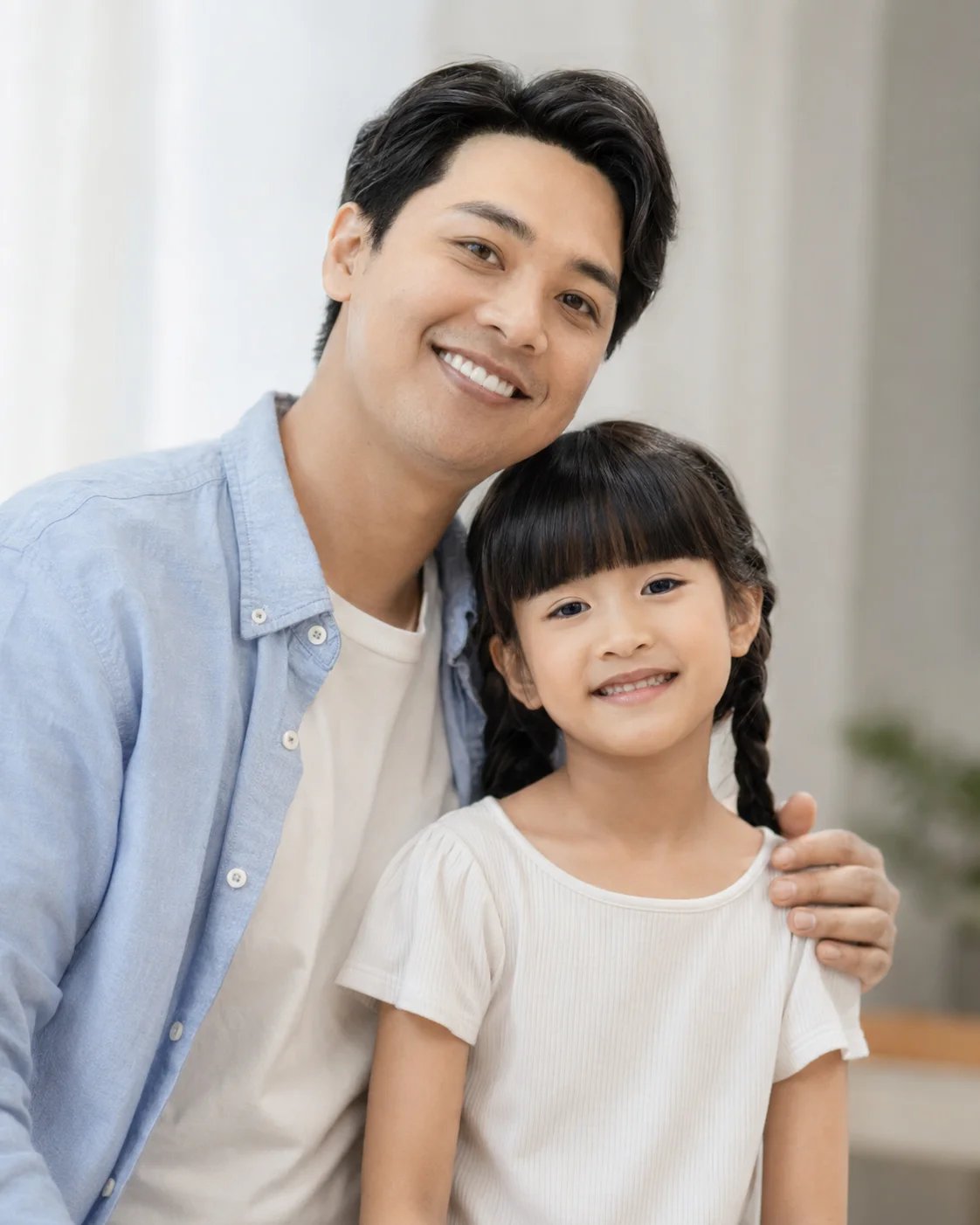
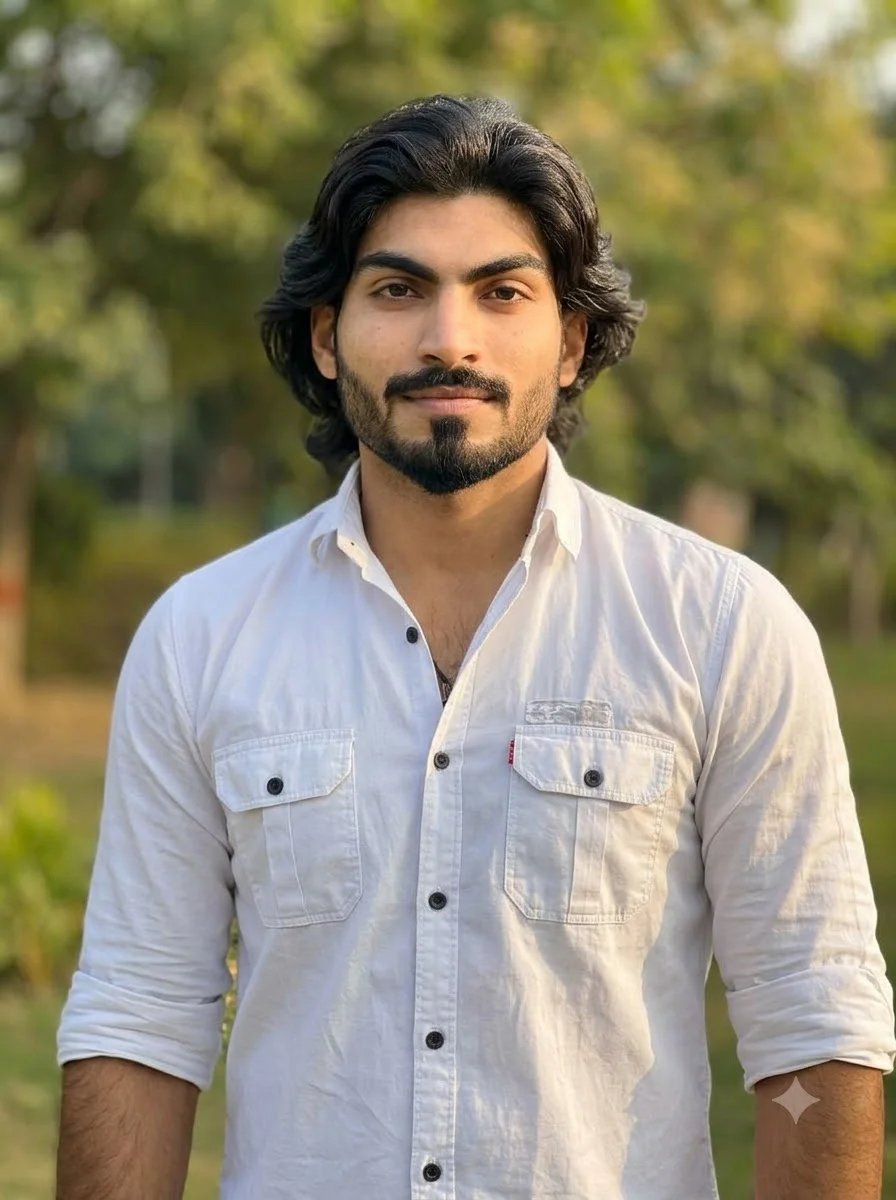
ChatGPT Images can edit an uploaded photo directly. Upload a clear, well-lit picture of yourself first, then paste any prompt below. Because ChatGPT regenerates the image rather than editing pixels directly, small shifts in likeness between attempts are normal — a clear source photo and an explicit “keep my face” instruction keep this to a minimum.
Quick answer: the master profile picture prompt
Start with this reusable prompt and swap the bracketed style detail:
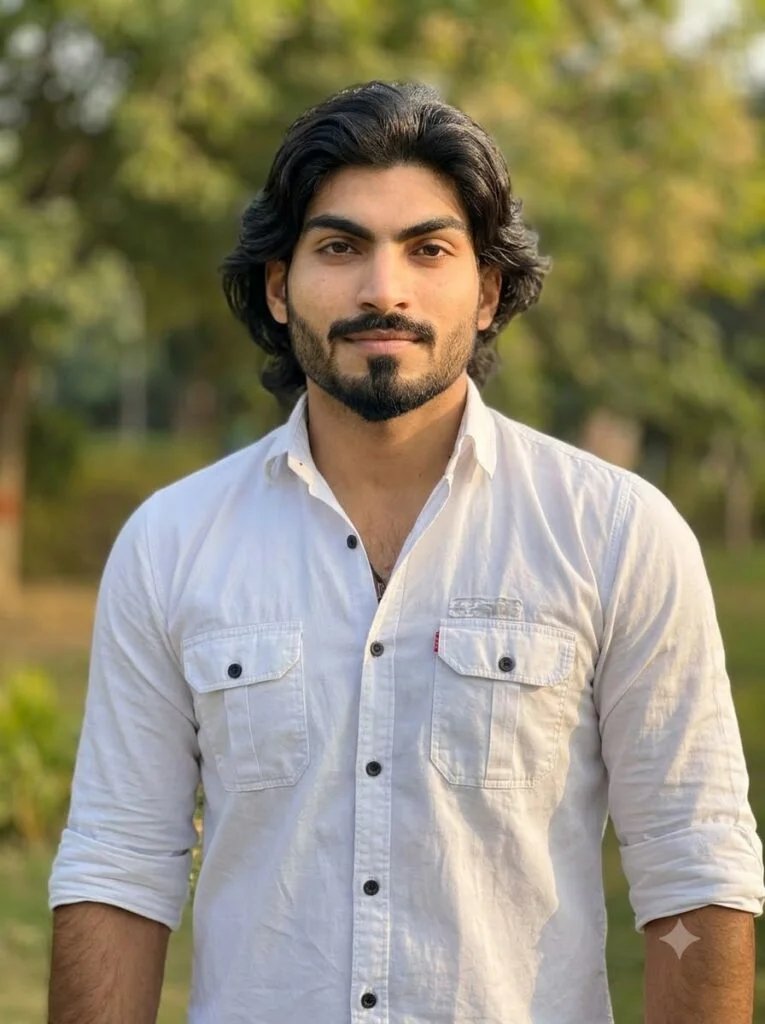
Using my uploaded photo, create a [style] profile picture. Keep my exact facial features, expression, and likeness recognizable. [Background/lighting/style details]. 1:1 square crop, subject centered in frame, clear at small thumbnail size.
Best practice: say “1:1 square crop, subject centered” in every prompt. Without it, ChatGPT often returns a wide or portrait image that crops badly once Instagram forces it into a circle.
Minimalist aesthetic close-ups
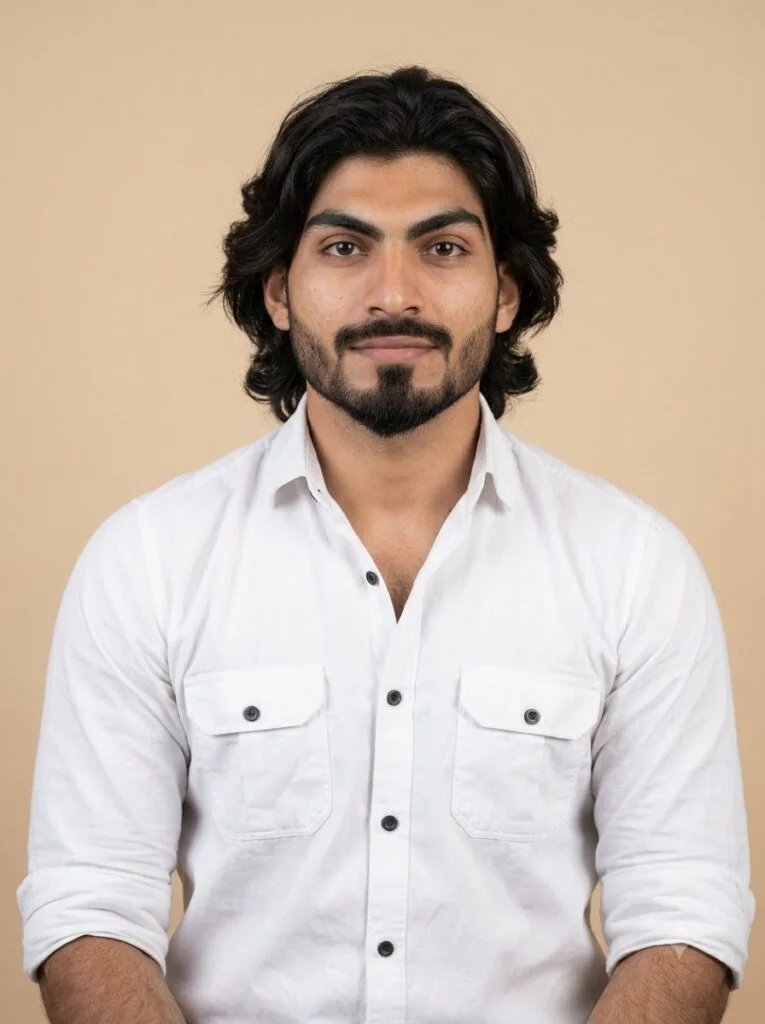
Using my uploaded photo, create a clean minimalist profile picture — close crop on my face and shoulders, soft neutral-colored background (beige or light gray), soft even lighting, no distracting elements, 1:1 square crop, subject centered.
Best for: A simple, professional-feeling everyday profile picture.
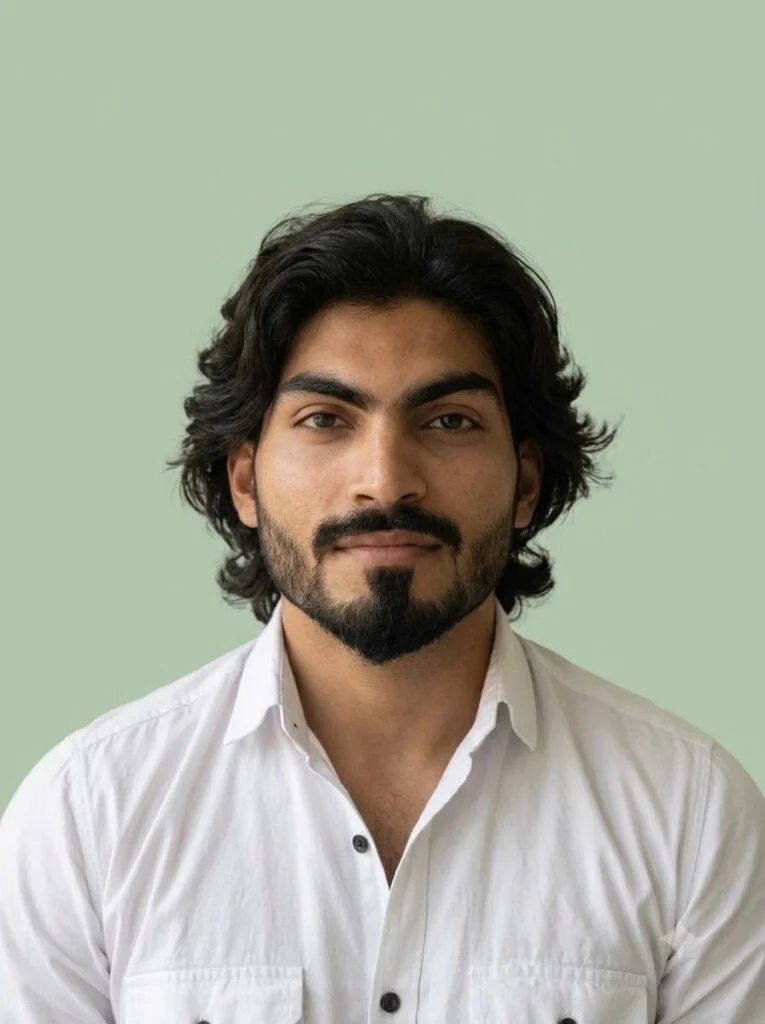
Using my uploaded photo, create a profile picture with a plain solid pastel background, natural soft lighting, calm neutral expression, keep my exact facial features, 1:1 square crop.
Best for: A soft, approachable look that still stays minimal.
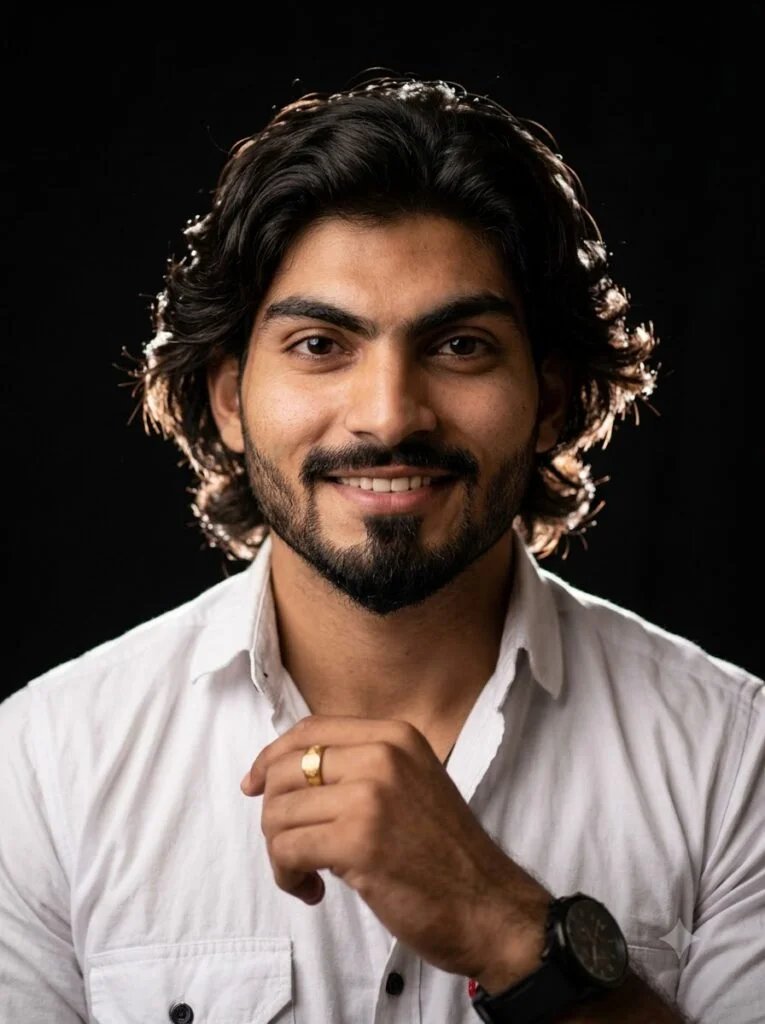
Using my uploaded photo, create a minimalist black-background profile picture with soft rim lighting outlining my silhouette, face clearly lit and centered, 1:1 square crop.
Best for: A striking, high-contrast profile picture that still reads clearly at small size.
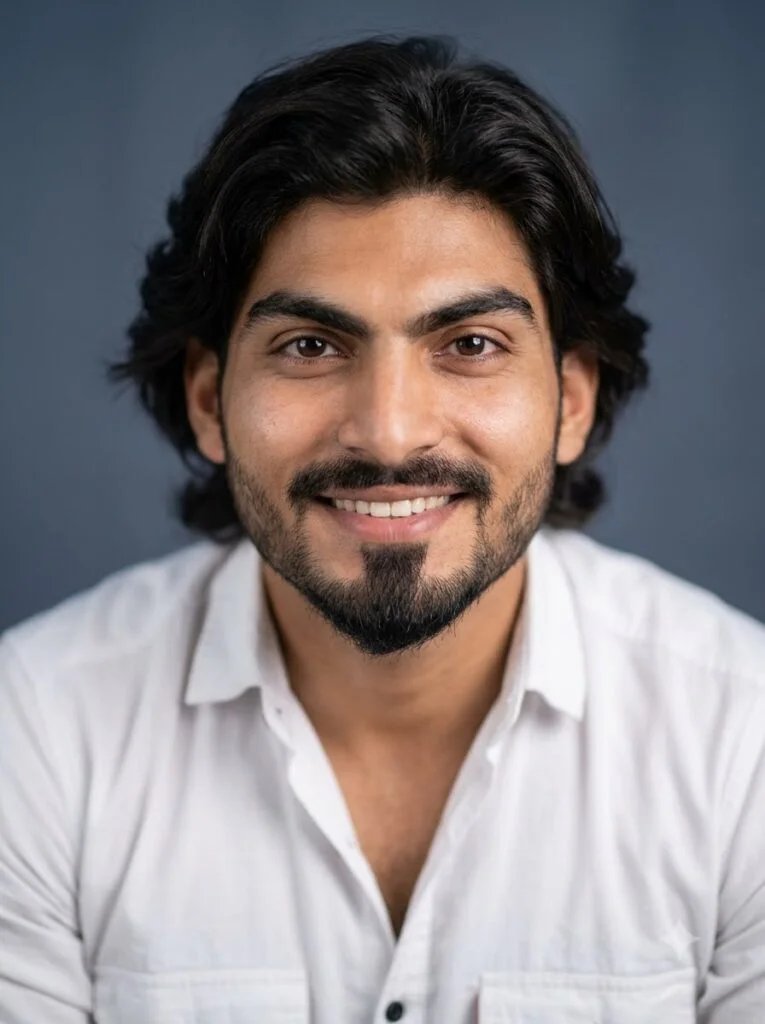
Using my uploaded photo, create a simple profile picture with a soft blurred single-color background, natural skin tone, gentle studio lighting, 1:1 square crop, centered framing.
Best for: A polished look without a fully flat background.
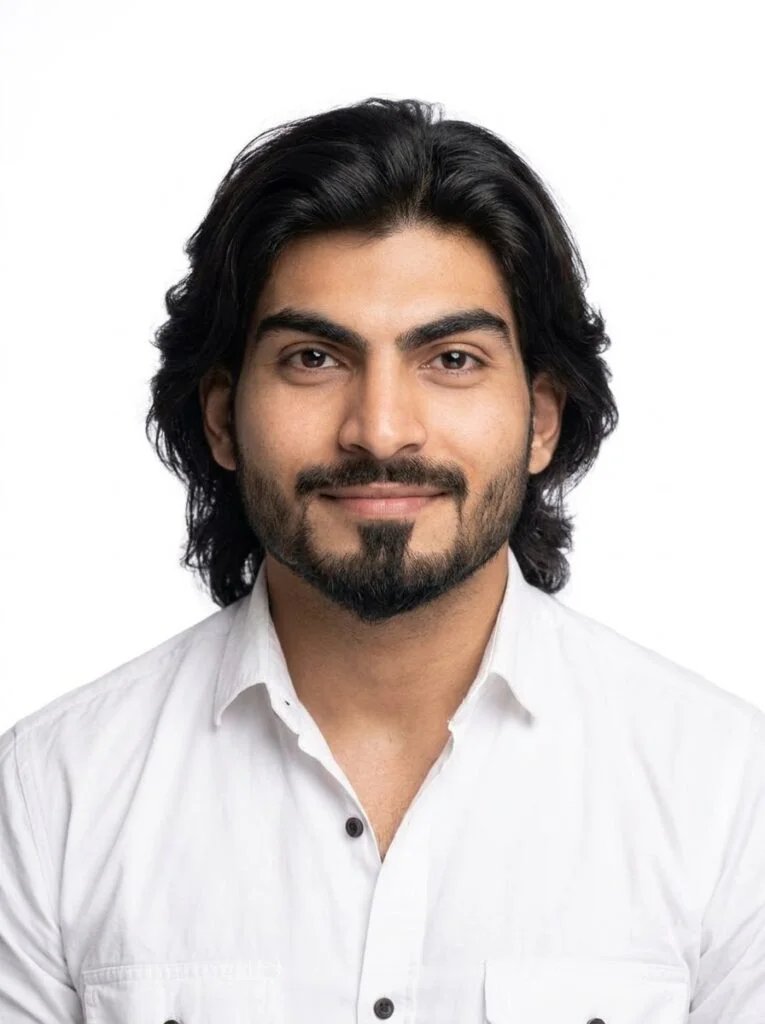
Using my uploaded photo, create a clean close-crop profile picture against a plain white background, soft shadow beneath the chin, natural expression, 1:1 square crop.
Best for: A crisp, bright profile picture that stands out in a dark-mode feed.
Artistic & illustrated style avatars
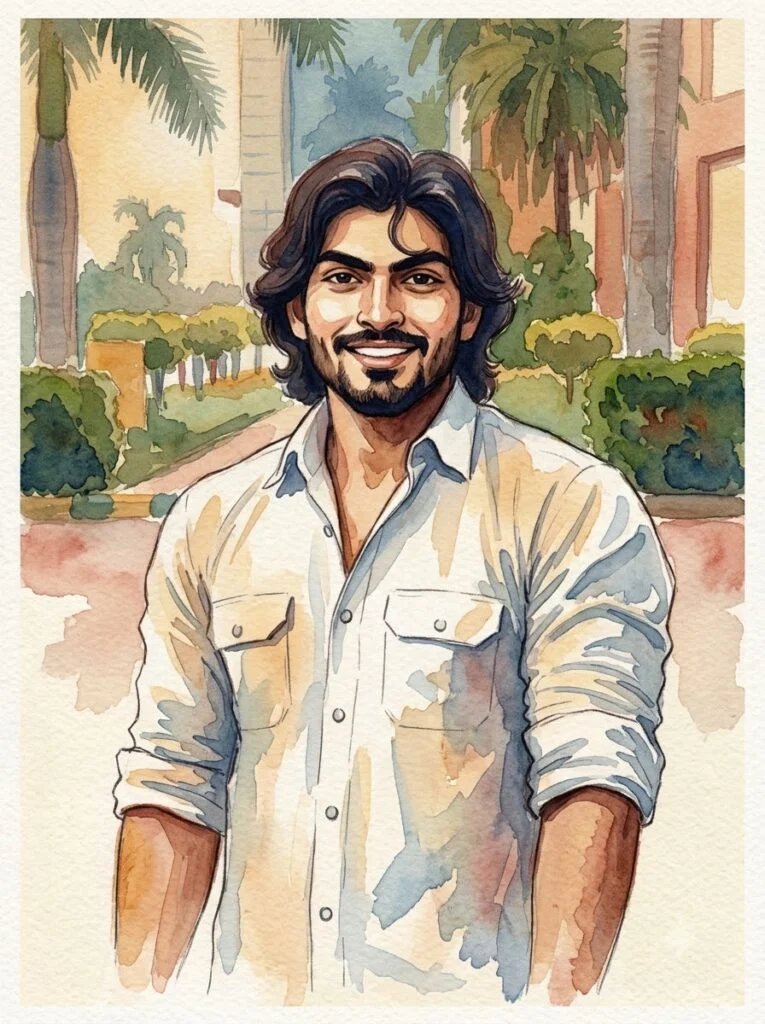
Using my uploaded photo, redraw me as a soft watercolor-style illustrated portrait, keeping my facial features and hairstyle recognizable, warm muted color palette, 1:1 square crop, centered.
Best for: A gentle, artistic avatar that still looks like you.
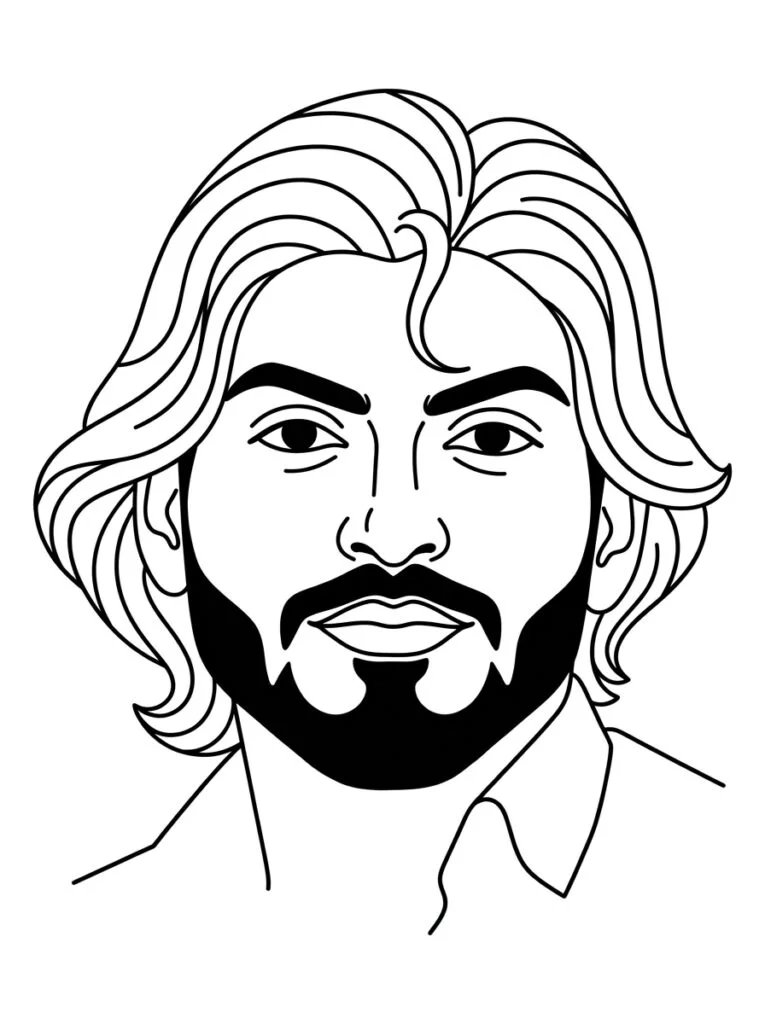
Using my uploaded photo, create a line-art style illustrated avatar — minimal single-color linework on a plain background, keeping my facial proportions accurate, 1:1 square crop.
Best for: A clean, modern avatar for design or tech-focused profiles.
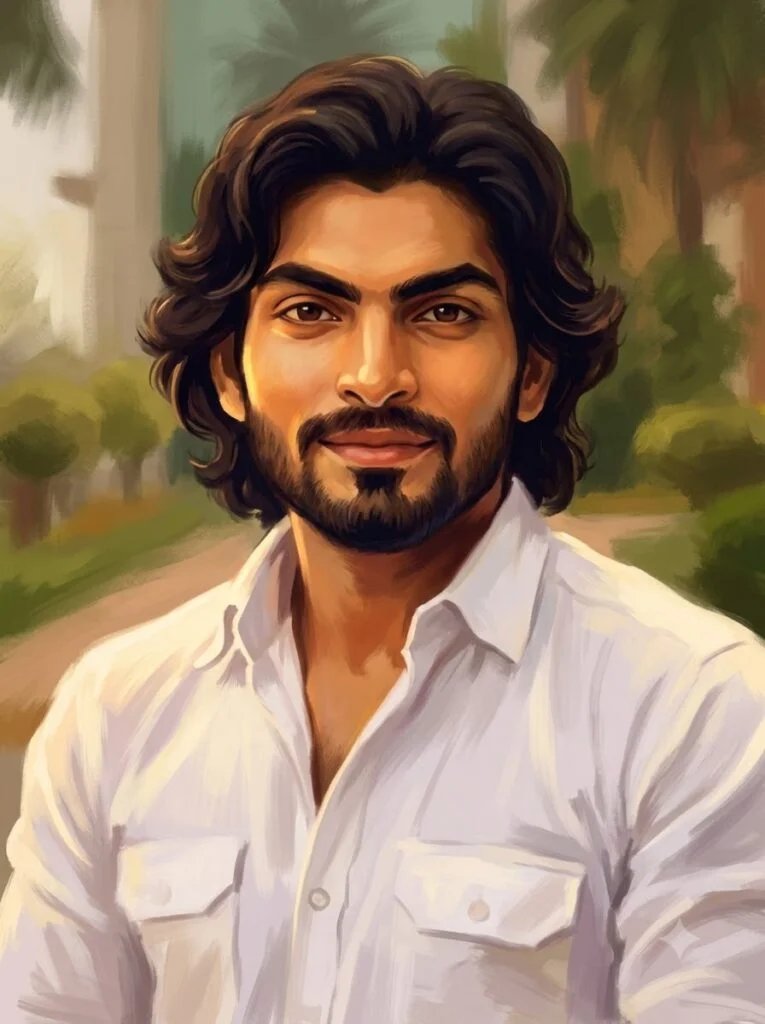
Using my uploaded photo, create a soft digital-painting style portrait avatar, painterly brushstroke texture, warm lighting, facial features kept recognizable, 1:1 square crop.
Best for: A creative, gallery-style avatar with more visual texture.
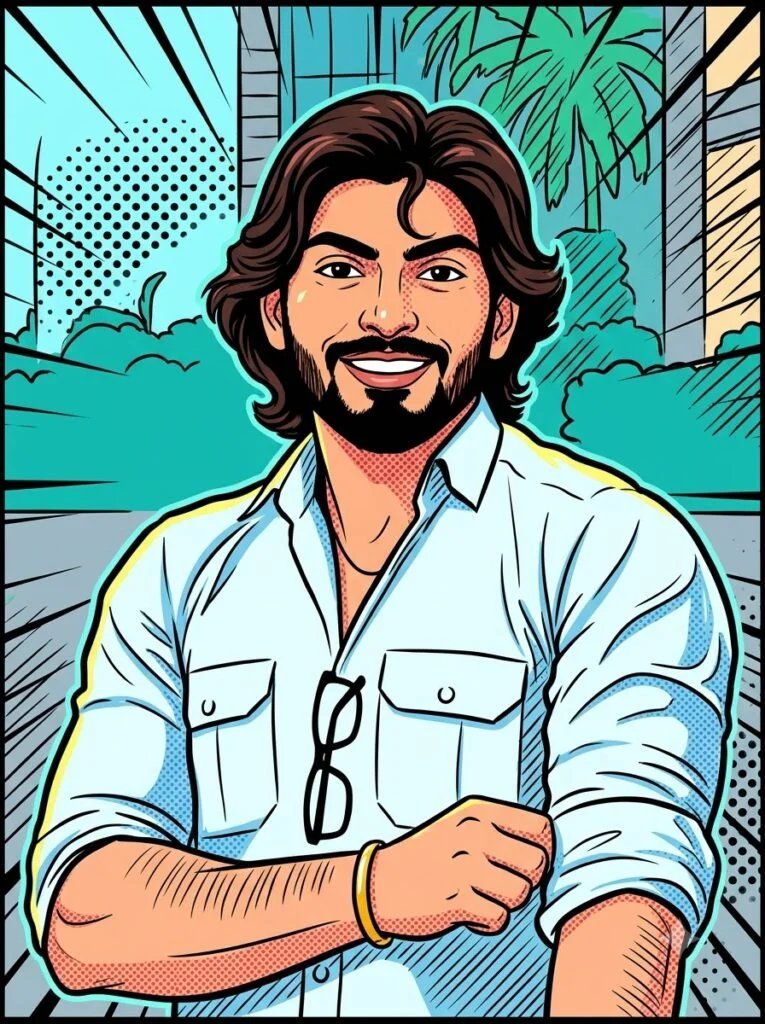
Using my uploaded photo, create a pop-art style illustrated avatar with bold flat colors and simple shading, keeping my face recognizable, 1:1 square crop, centered.
Best for: A bold, high-visibility avatar that stands out in a grid of small icons.
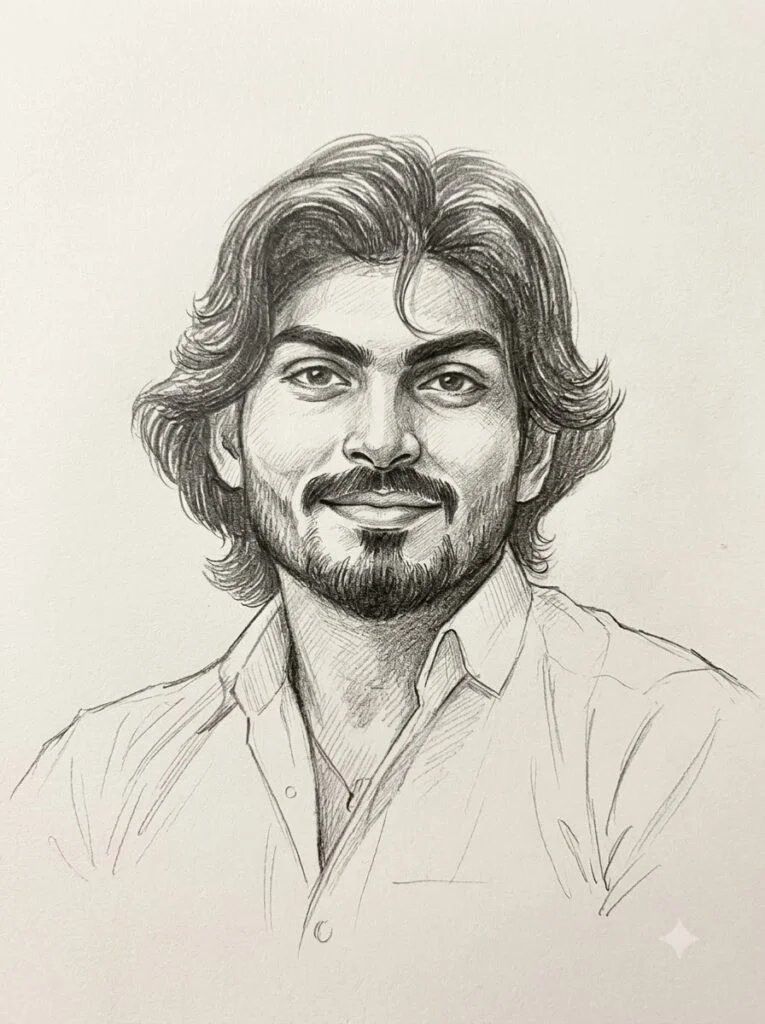
Using my uploaded photo, create a soft pencil-sketch style portrait avatar on a plain paper-textured background, facial features kept accurate, 1:1 square crop.
Best for: A quiet, hand-drawn feel for personal or creative accounts.
Black & white / moody portraits
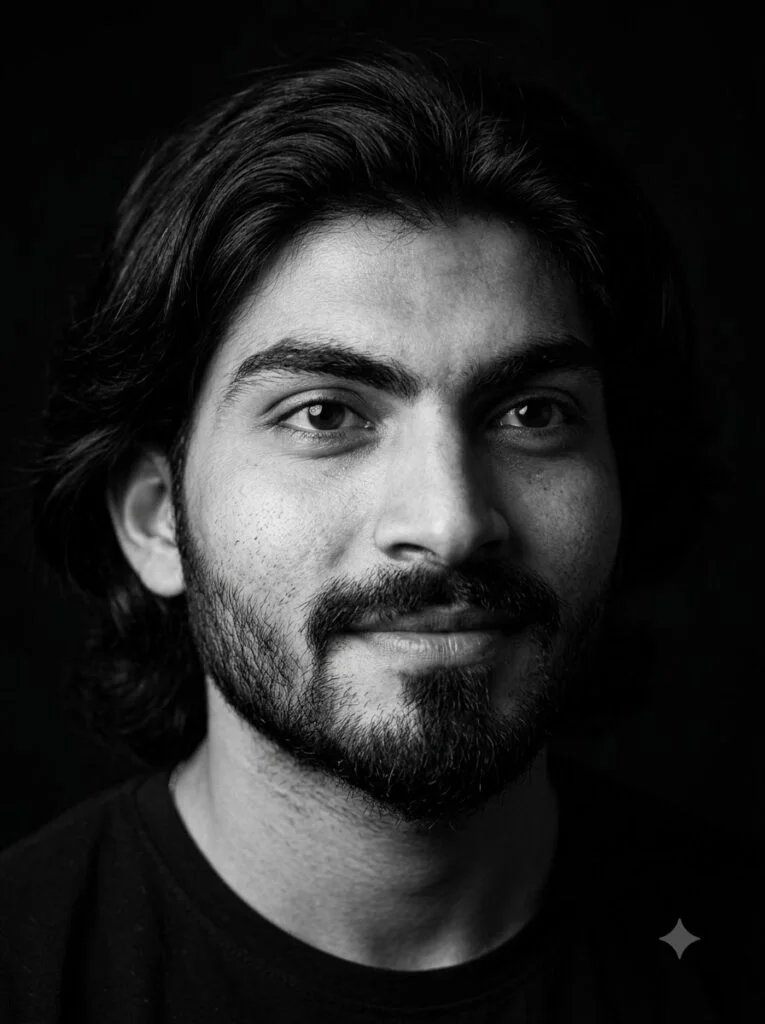
Using my uploaded photo, create a black-and-white profile picture with strong soft-contrast lighting, natural skin texture preserved, plain dark background, 1:1 square crop, centered.
Best for: A timeless, editorial-feeling profile picture.
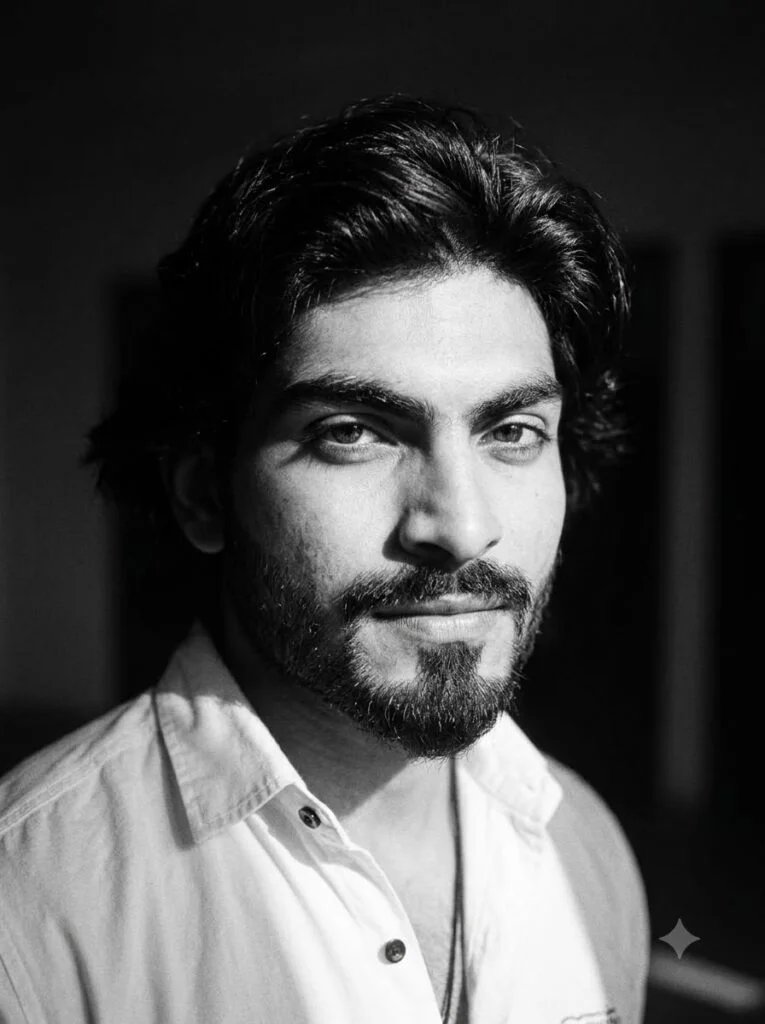
Using my uploaded photo, create a moody black-and-white portrait with dramatic side lighting, keeping my facial features exactly recognizable, 1:1 square crop.
Best for: A more dramatic, serious profile picture.
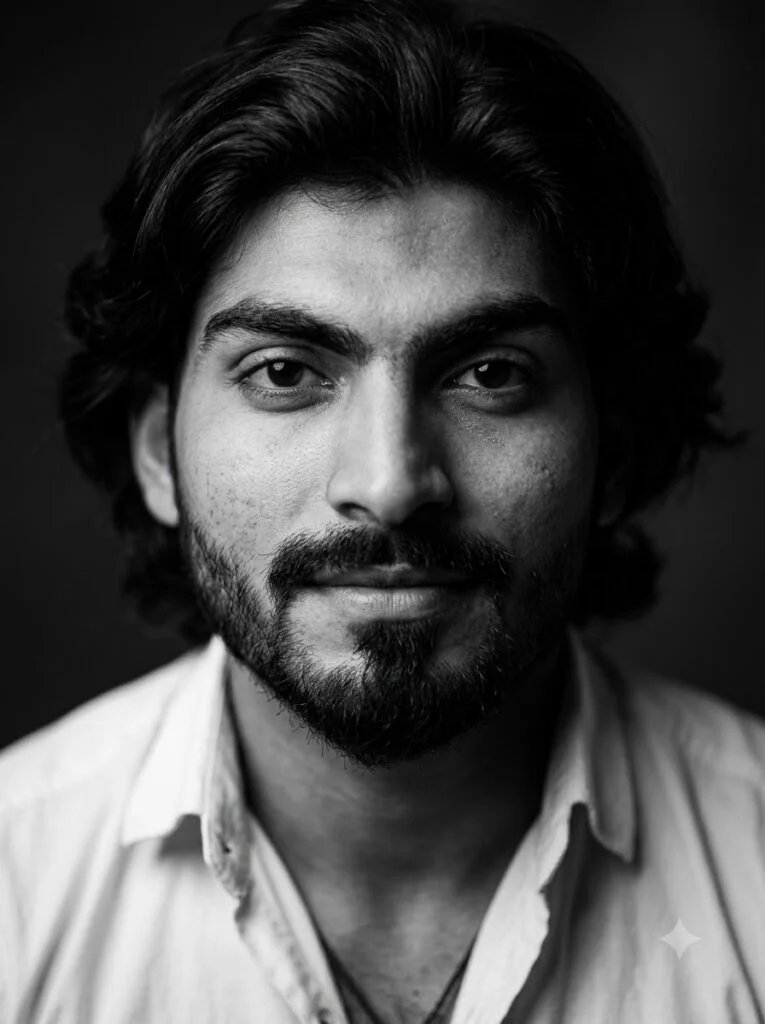
Using my uploaded photo, create a high-contrast black-and-white profile picture, close crop on the face, soft natural expression, 1:1 square crop, subject centered.
Best for: A sharp, magazine-style close-up.
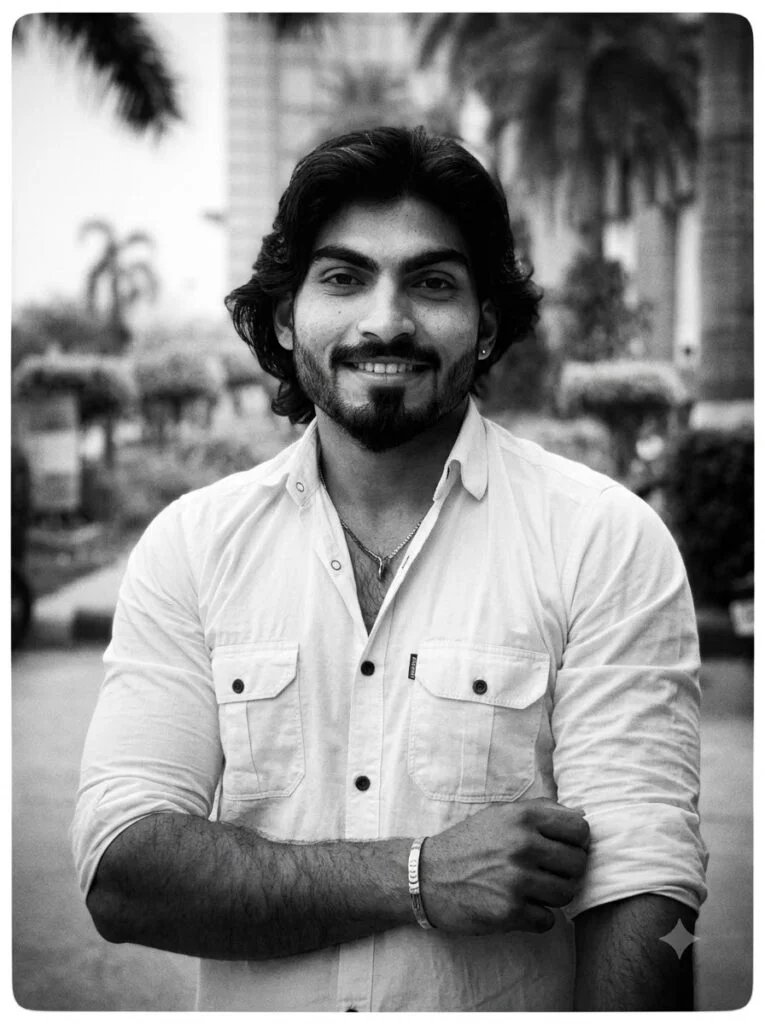
Using my uploaded photo, create a black-and-white film-grain style portrait, soft vignette, natural lighting, keeping my likeness accurate, 1:1 square crop.
Best for: A slightly nostalgic, film-photography feel.
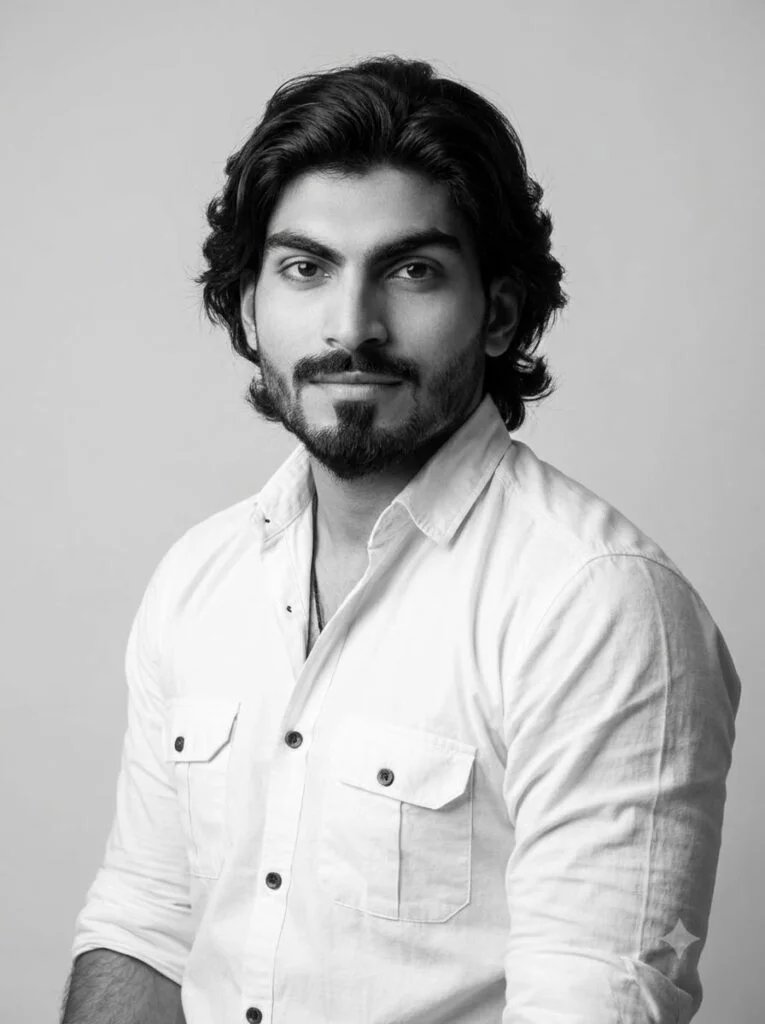
Using my uploaded photo, create a black-and-white profile picture with a plain light-gray background and soft studio lighting, calm expression, 1:1 square crop.
Best for: A professional black-and-white option that still looks approachable.
Soft glow & aesthetic lighting
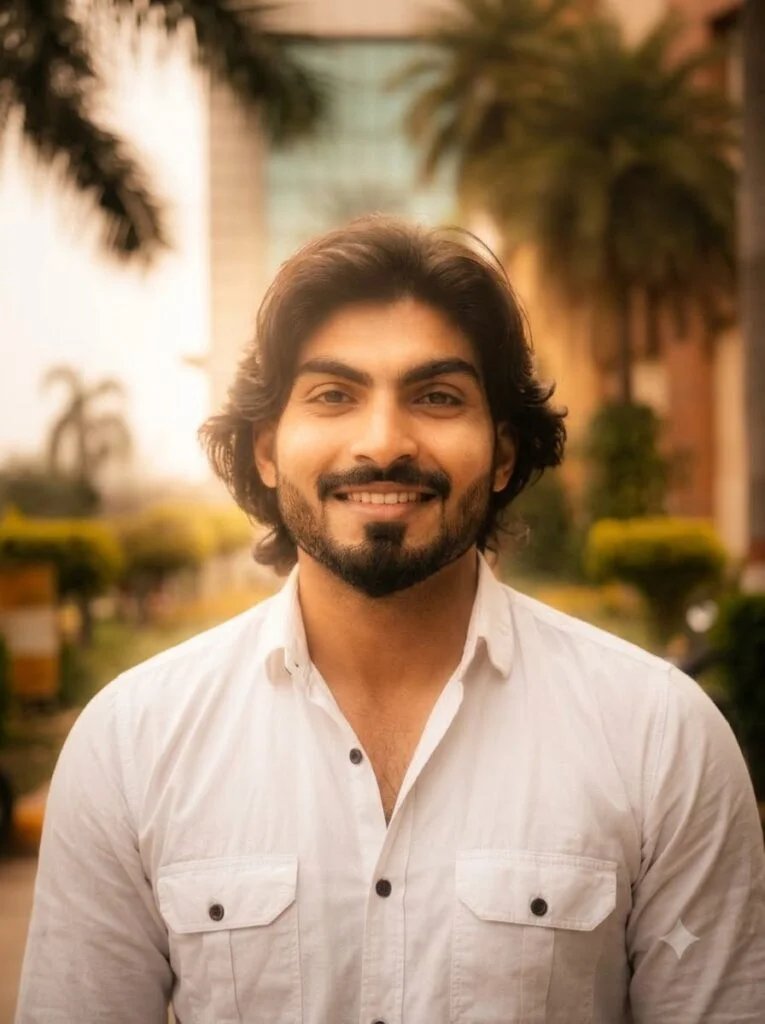
Using my uploaded photo, create a profile picture with a soft warm glow lighting effect around my face, gentle golden-hour color tone, keeping my facial features recognizable, 1:1 square crop, centered.
Best for: A warm, friendly aesthetic profile picture.
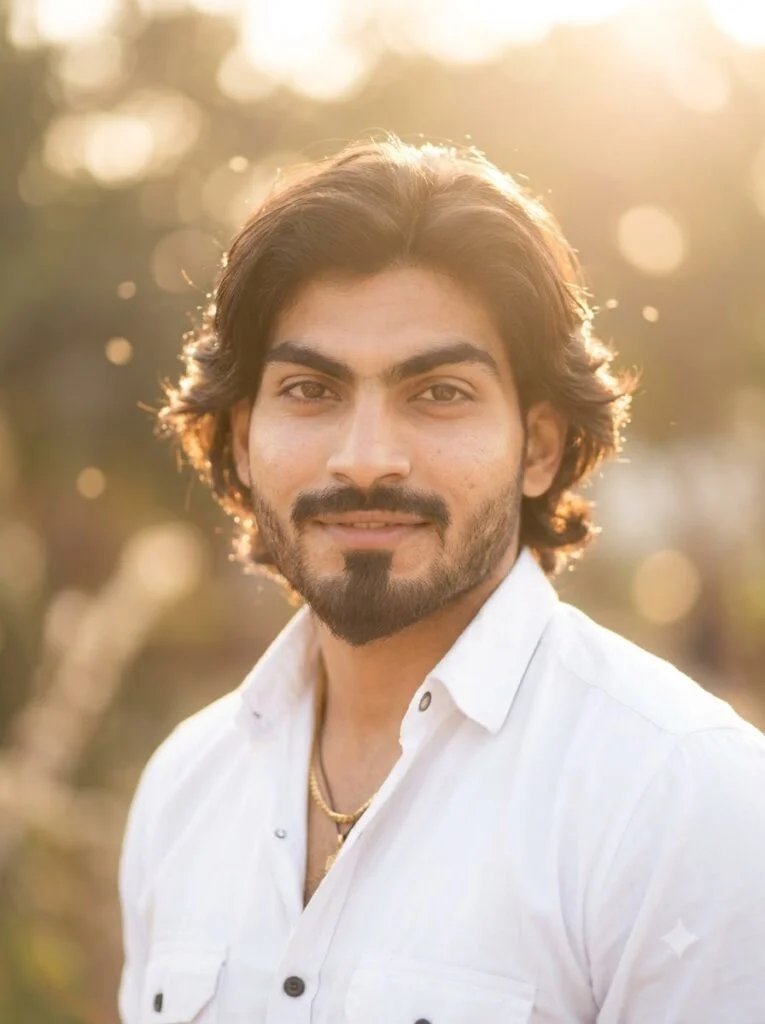
Using my uploaded photo, create a dreamy soft-focus profile picture with warm backlighting, gentle bokeh in the background, natural expression, 1:1 square crop.
Best for: A soft, dreamy look for personal or lifestyle accounts.
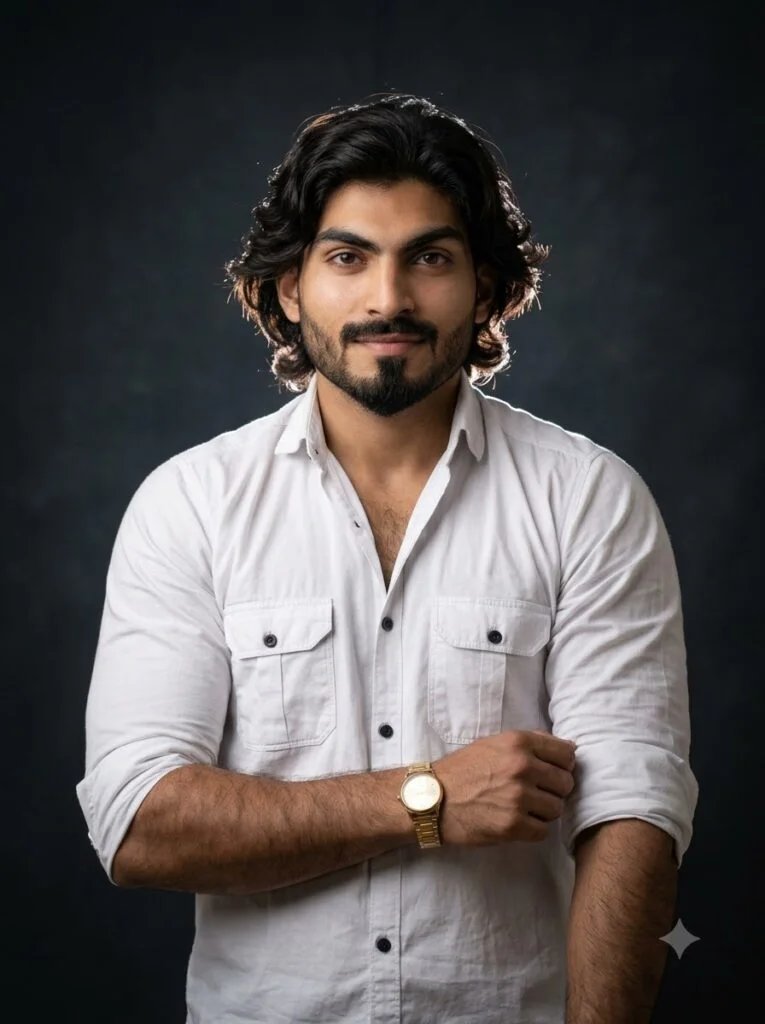
Using my uploaded photo, create a profile picture with a subtle glowing rim light outlining my hair and shoulders against a dark background, 1:1 square crop, centered.
Best for: An elegant, slightly cinematic profile picture.
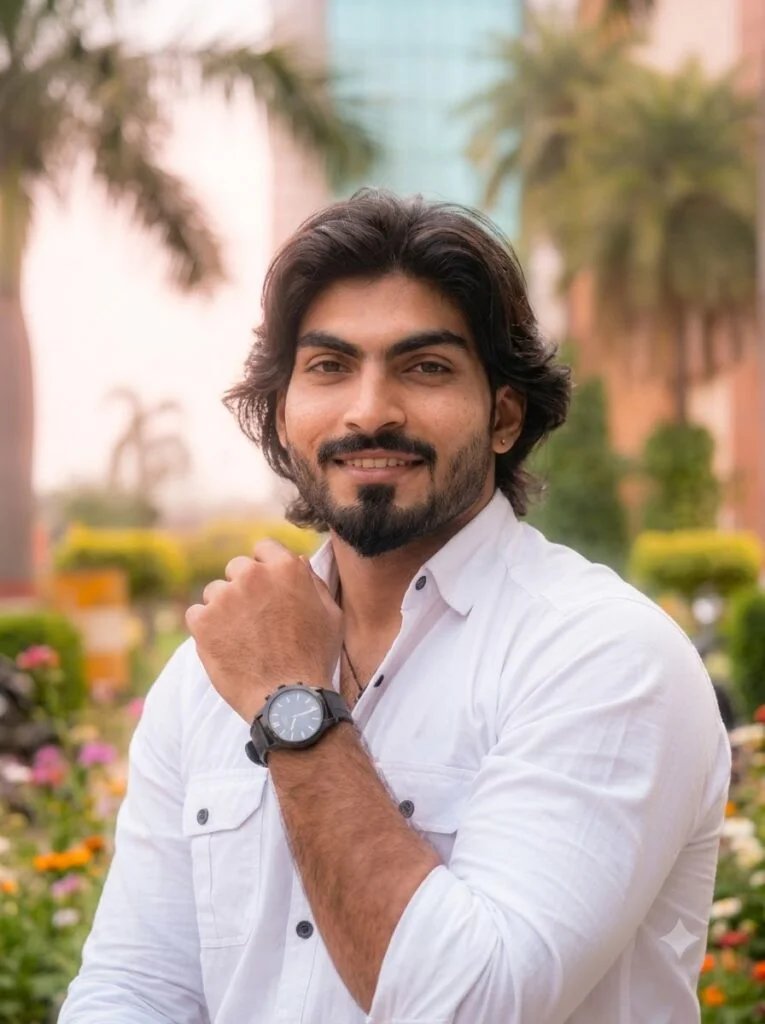
Using my uploaded photo, create a profile picture with soft pastel-toned lighting and a gentle glow, calm natural expression, 1:1 square crop.
Best for: A light, calming aesthetic that works well for lifestyle or wellness pages.
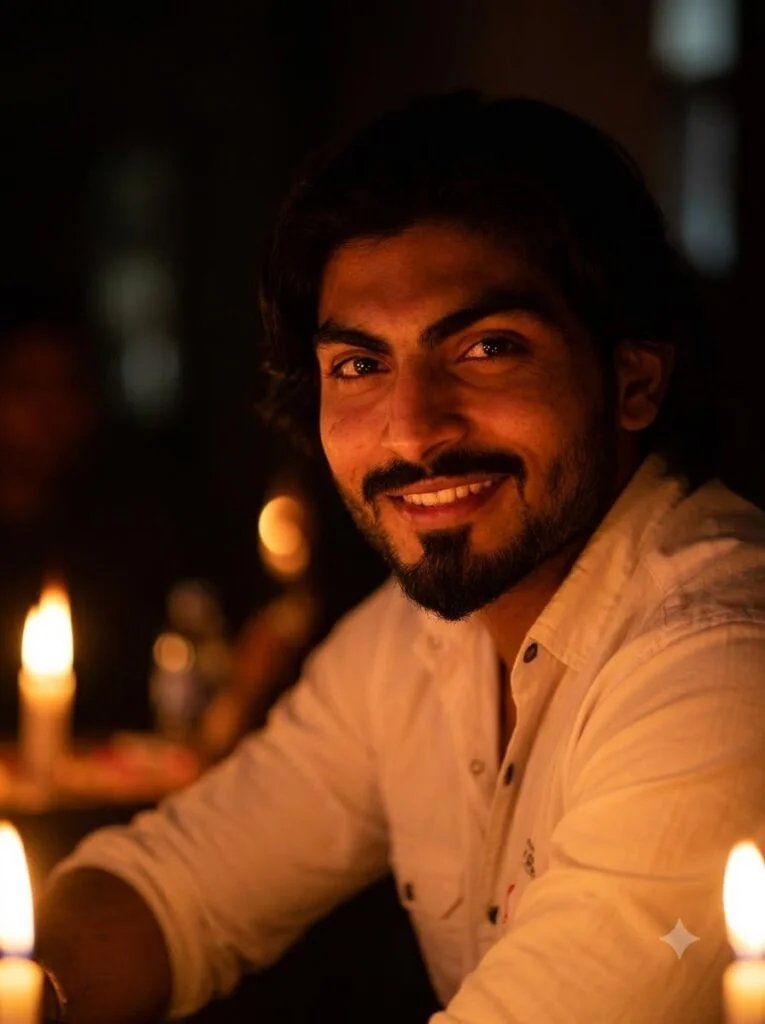
Using my uploaded photo, create a profile picture with warm candlelight-style lighting on my face, soft dark background, keeping my likeness recognizable, 1:1 square crop.
Best for: An intimate, warm-toned profile picture.
Trendy background styles
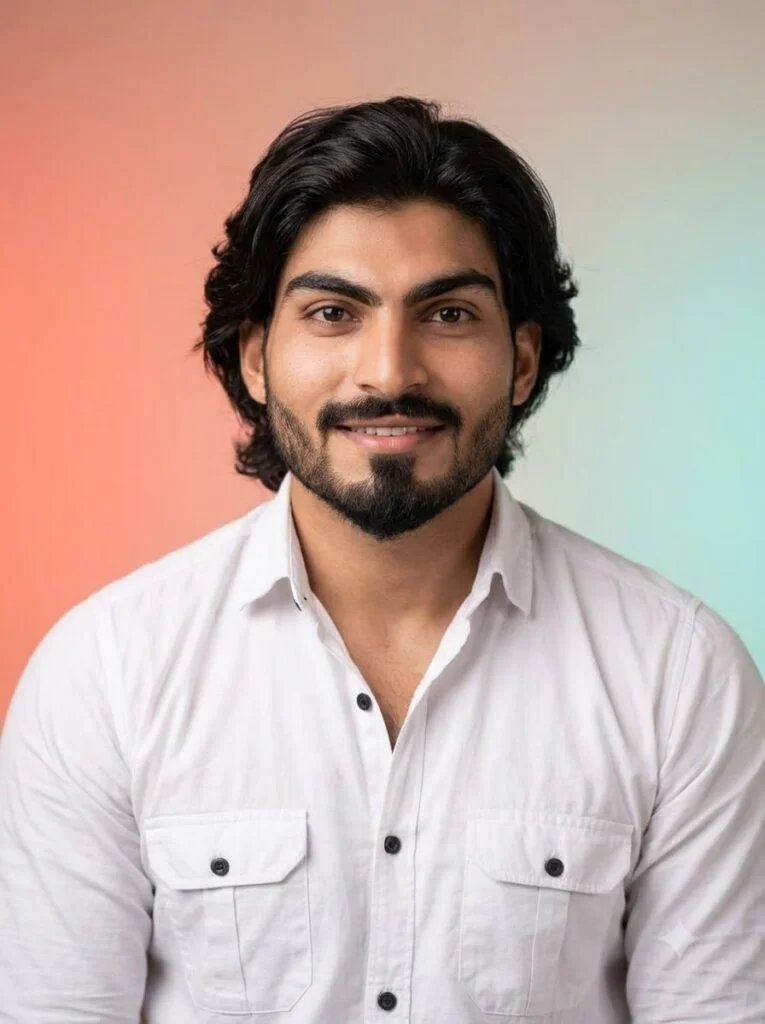
Using my uploaded photo, create a profile picture with a soft gradient background (two complementary colors blending), even studio lighting on my face, 1:1 square crop, centered.
Best for: A modern, design-forward profile picture.
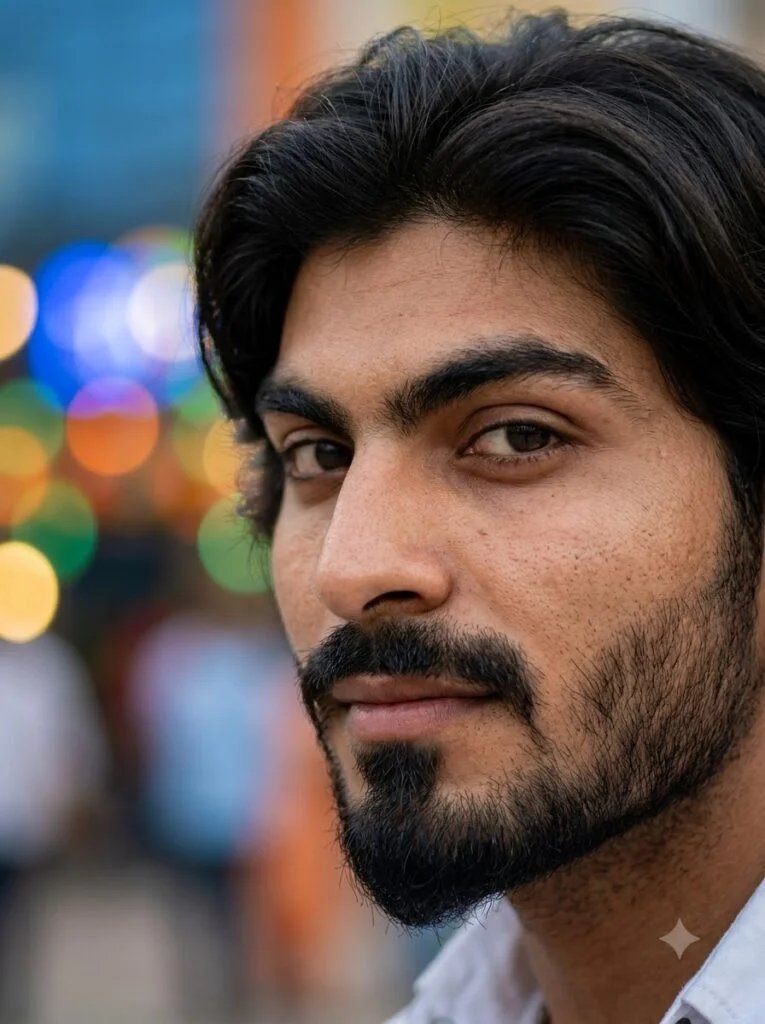
Using my uploaded photo, create a profile picture with a blurred colorful bokeh background, sharp focus on my face, natural lighting, 1:1 square crop.
Best for: A lively, energetic profile picture.
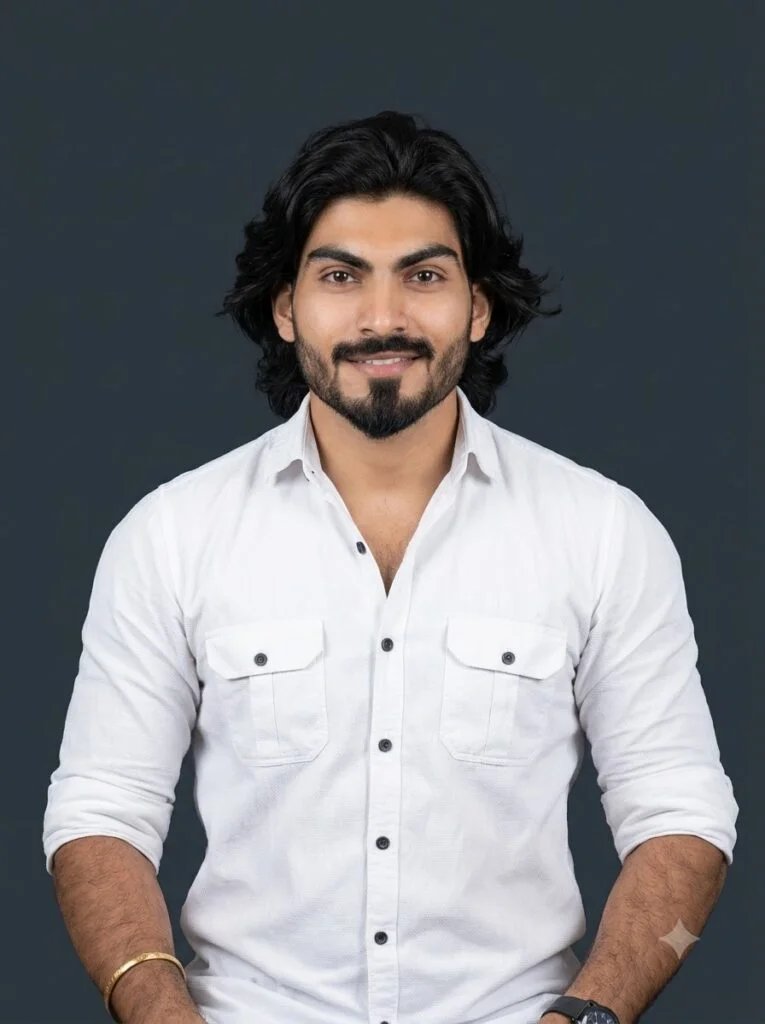
Using my uploaded photo, create a profile picture with a plain color-block background matching my outfit's color, clean studio lighting, 1:1 square crop, centered.
Best for: A coordinated, brand-style profile picture.
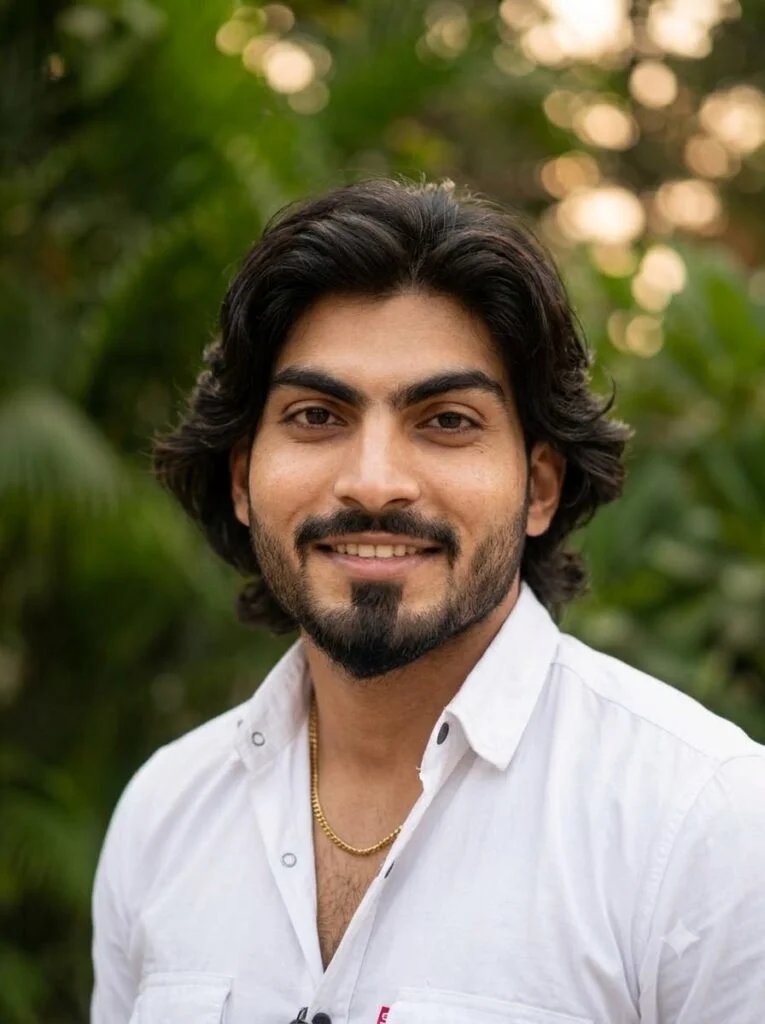
Using my uploaded photo, create a profile picture with a soft out-of-focus greenery background, natural daylight on my face, 1:1 square crop.
Best for: A natural, outdoorsy-feeling profile picture.
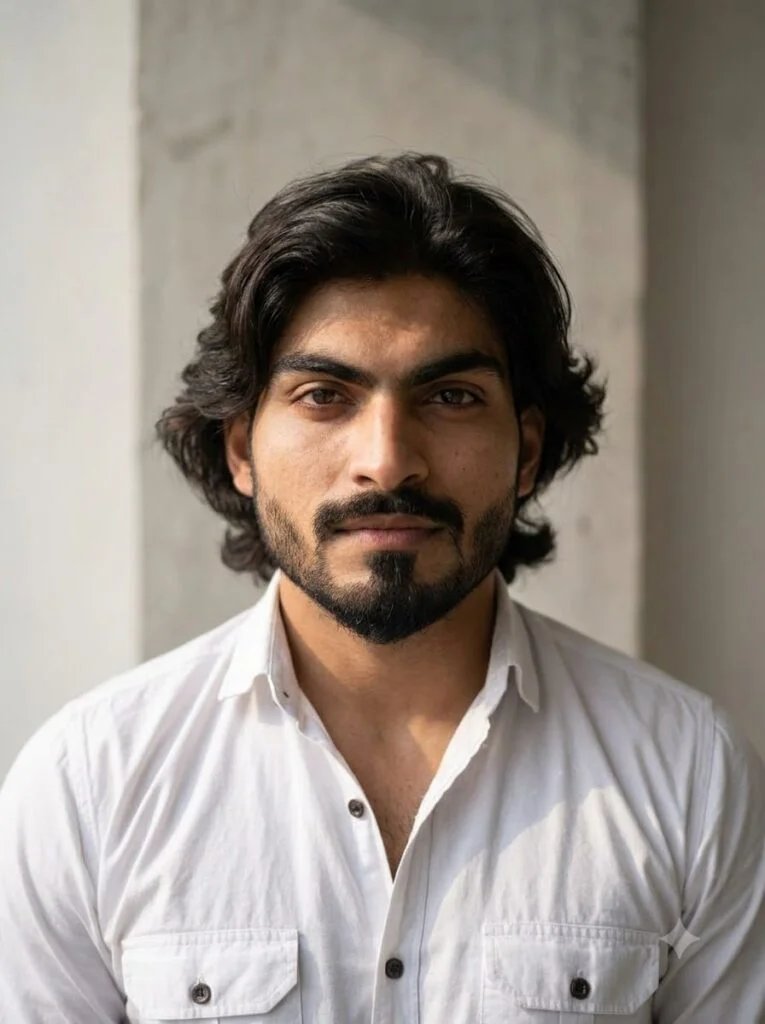
Using my uploaded photo, create a profile picture with a textured plain wall background (subtle concrete or fabric texture), soft natural lighting, keeping my facial features recognizable, 1:1 square crop, subject centered.
Best for: A subtle, textured backdrop that still reads as simple.
Common profile-picture problems and fixes
| Problem | Follow-up instruction |
|---|---|
| Result isn’t square | “Reframe this to a 1:1 square crop, subject centered, nothing important near the edges.” |
| Face looks slightly different | “Keep everything, just soften the lighting” — a small correction in the same chat holds likeness better than a fresh prompt. |
| Head gets cropped in the circle | “Add more margin around my head and shoulders so a circular crop doesn’t cut into my face or hair.” |
| Output looks low-resolution | Check your ChatGPT plan — free-tier output quality and daily limits are lower than ChatGPT Plus. |
Frequently asked questions
Does ChatGPT actually edit my uploaded photo, or generate a new one?
It regenerates the image based on your photo and prompt rather than editing the original pixels directly. That’s why fine details and exact facial likeness can shift slightly between attempts — a clear, well-lit original photo and a specific “keep my face” instruction help minimize this.
What’s the best aspect ratio for a profile picture?
1:1 (square). State it directly in the prompt rather than relying on ChatGPT to guess a profile-picture ratio from context.
Can I use these prompts on the free version of ChatGPT?
Yes. Basic image generation and editing works on the free tier, though with lower daily limits and typically lower output resolution than ChatGPT Plus.
How is this different from using Gemini for the same thing?
Both tools can produce similar results from a similar prompt structure, but they’re separate products with different upload and edit behavior. See our Gemini prompt-writing guide for the equivalent framework if you’re working in Gemini instead.
These ChatGPT profile picture prompts are starting points rather than guarantees — inspect the full result, including the crop and your facial detail, before setting it as your profile picture.