Changing a photo background is one of the most common AI photo-editing tasks. Your photo may look good, but the background could be messy, a plain wall may feel boring, or you may need a professional backdrop for LinkedIn. You can handle all of these situations without downloading a separate app.
Below are 10 background change prompts. Their structure is slightly different from regular photo prompts: the subject should remain completely untouched while only the background is changed. That is why every prompt includes a clear instruction to lock the subject.
How to Write a Background Change Prompt
Every background prompt should include these three things. Otherwise, the AI may recreate the entire photo instead of changing only the background:
- Subject lock — clearly state that the person, pose, clothing and lighting must remain unchanged.
- New background — describe exactly what background you want, with enough detail.
- Edge instruction — hair and shoulder edges should remain soft and natural instead of looking like a cut-out. This is the detail that most people forget.
10 Background Change Prompts (Copy & Paste)
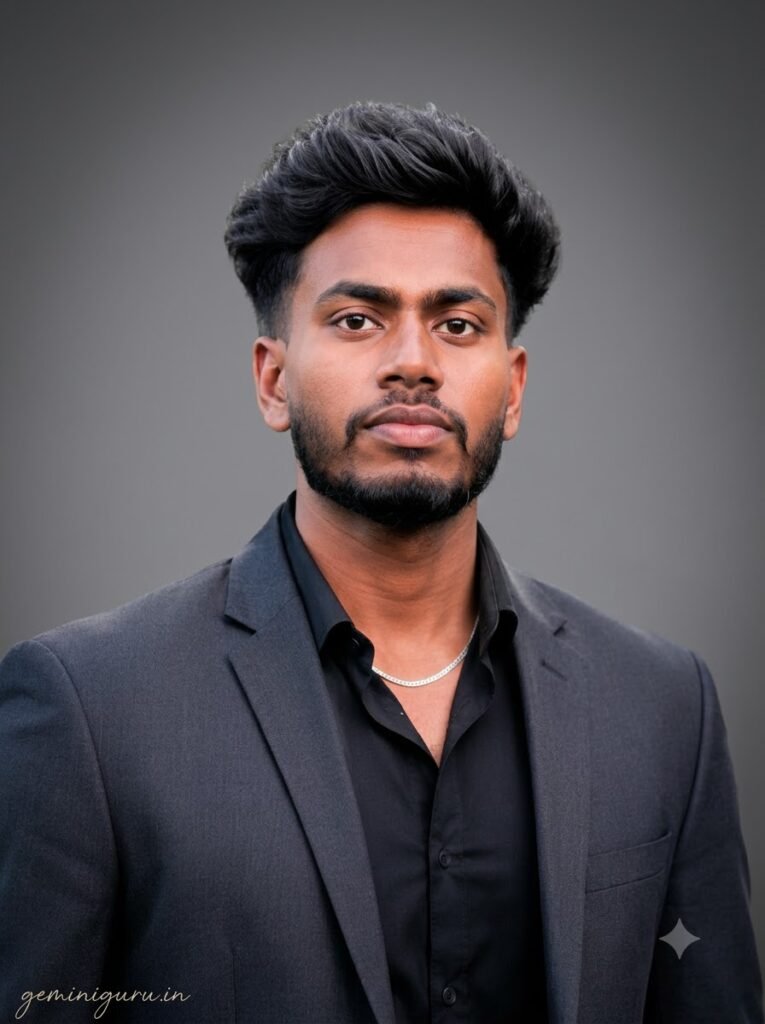
Use uploaded reference image only. Keep the person exactly as they are — face, hairstyle, expression, clothing, body position and skin tone must remain 100% unchanged. Do not retouch or smooth the face. Only replace the background. BACKGROUND: Seamless medium-grey professional studio backdrop with a subtle darker vignette towards the corners. No texture, no props, no visible seams or floor line. EDGES: Keep hair strands and shoulder edges soft and natural. No hard cut-out outline, no halo, no glow around the subject. Match the background light direction to the existing lighting on the subject. SIGNATURE: Add geminiguru.in bottom-left corner. Handwritten signature-style typography, thin cursive, small size, subtle premium elegance, white or soft off-white color.
The safest option for resumes, ID photos and professional profiles.
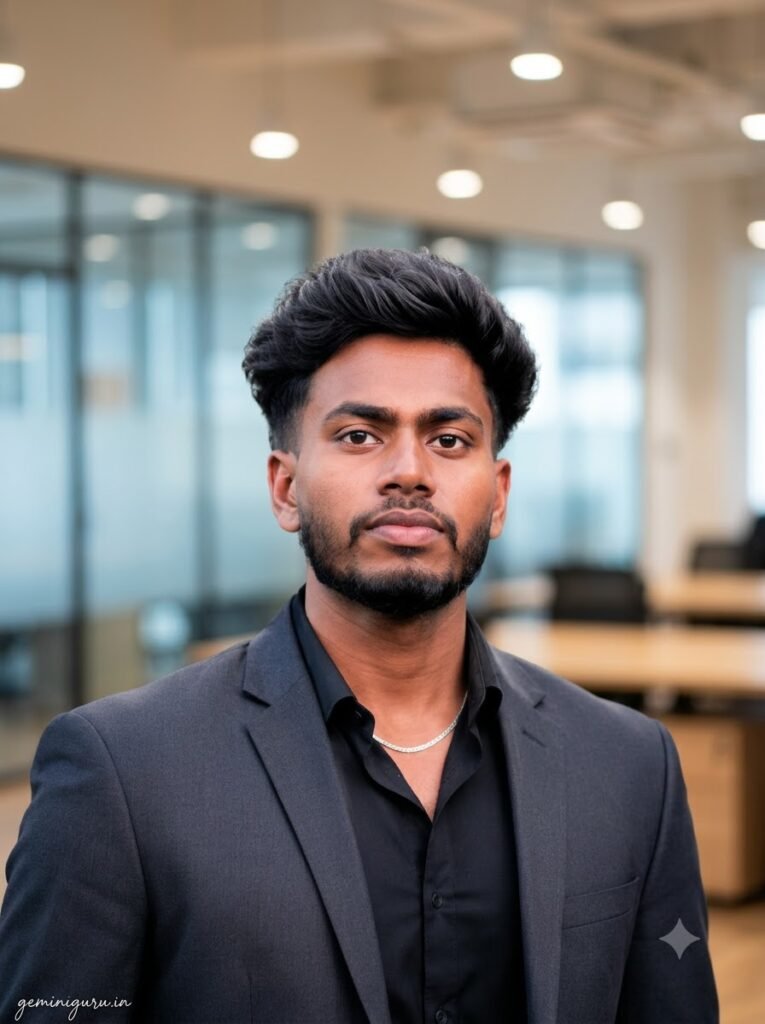
Use uploaded reference image only. Keep the person exactly as they are — face, hairstyle, expression, clothing, body position and skin tone must remain 100% unchanged. Do not retouch or smooth the face. Only replace the background. BACKGROUND: Modern open-plan office interior, heavily blurred. Glass partitions, warm wooden desks and soft ceiling lights visible as gentle shapes. Neutral beige and soft blue tones, nothing sharp or distracting. EDGES: Keep hair strands and shoulder edges soft and natural. No hard cut-out outline or halo. Blur strength should look like a real 85mm lens at f/1.8, with the subject sharp and the background falling off gradually. SIGNATURE: Add geminiguru.in bottom-left corner. Handwritten signature-style typography, thin cursive, small size, subtle premium elegance, white or soft off-white color.
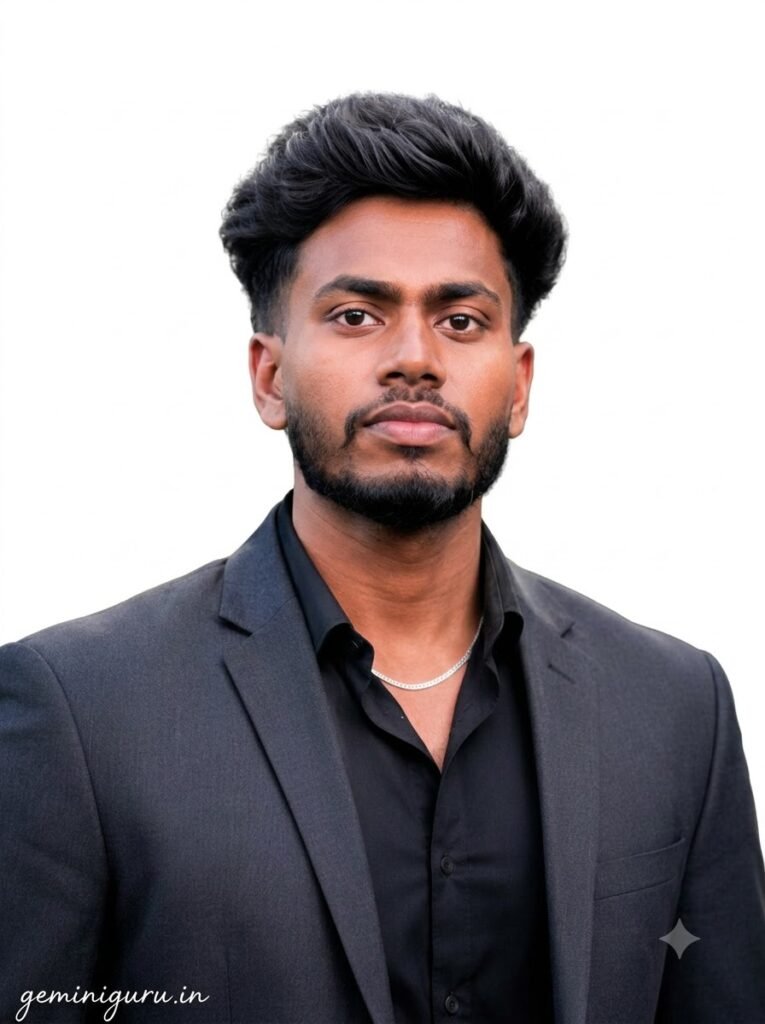
Use uploaded reference image only. Keep the person exactly as they are — face, hairstyle, expression, clothing, body position and skin tone must remain 100% unchanged. Do not retouch or smooth the face. Only replace the background. BACKGROUND: Completely plain pure white background, evenly lit, no gradient, no shadow, no texture. Suitable for official document and ID photo requirements. EDGES: Keep hair strands and shoulder edges soft and natural but clearly separated from the white. No grey halo, no visible mask line. Retain a very subtle contact shadow so the subject does not look pasted on. SIGNATURE: Add geminiguru.in bottom-left corner. Handwritten signature-style typography, thin cursive, small size, subtle premium elegance, white or soft off-white color.
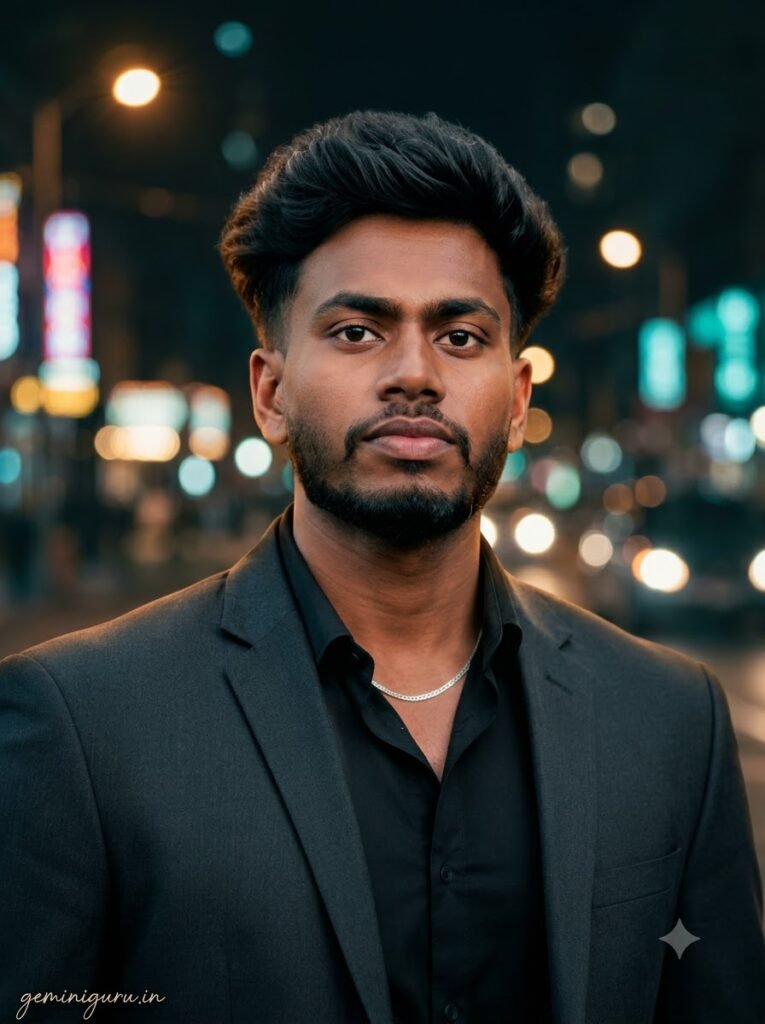
Use uploaded reference image only. Keep the person exactly as they are — face, hairstyle, expression, clothing, body position and skin tone must remain 100% unchanged. Do not retouch or smooth the face. Only replace the background. BACKGROUND: Night city street heavily out of focus, with large round bokeh circles from street lamps, shop signs and passing headlights. Warm amber and cool teal mix, deep dark base so the subject stands out. EDGES: Keep hair strands and shoulder edges soft and natural. Add a subtle warm rim light along the shoulders and hair to match the background light sources, so the subject looks genuinely lit by the scene. SIGNATURE: Add geminiguru.in bottom-left corner. Handwritten signature-style typography, thin cursive, small size, subtle premium elegance, white or soft off-white color.
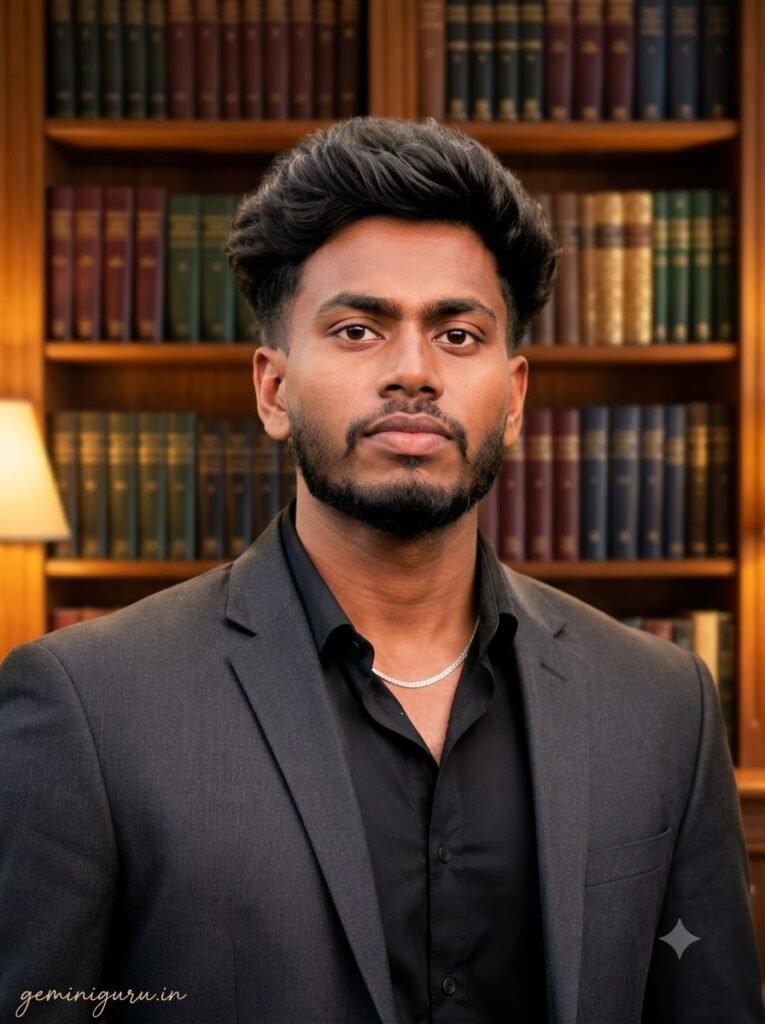
Use uploaded reference image only. Keep the person exactly as they are — face, hairstyle, expression, clothing, body position and skin tone must remain 100% unchanged. Do not retouch or smooth the face. Only replace the background. BACKGROUND: Warm wooden bookshelf wall filled with neatly arranged books, softly out of focus. Warm table lamp glow from one side. Classic, calm, academic feel. No readable text on the book spines. EDGES: Keep hair strands and shoulder edges soft and natural. No cut-out outline. Match the warm colour temperature of the background onto the edges of the subject subtly. SIGNATURE: Add geminiguru.in bottom-left corner. Handwritten signature-style typography, thin cursive, small size, subtle premium elegance, white or soft off-white color.
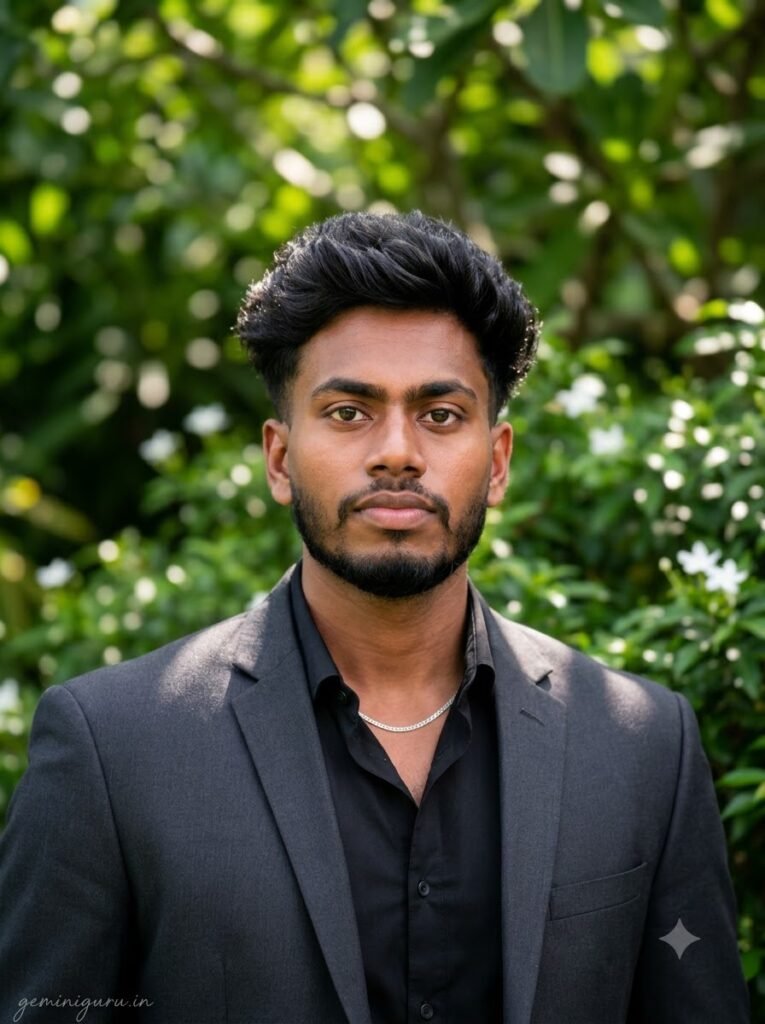
Use uploaded reference image only. Keep the person exactly as they are — face, hairstyle, expression, clothing, body position and skin tone must remain 100% unchanged. Do not retouch or smooth the face. Only replace the background. BACKGROUND: Lush green garden with soft dappled sunlight through leaves, gently blurred. Layers of foliage in varying depths, a few small out-of-focus white flowers. Fresh natural daylight feel. EDGES: Keep hair strands and shoulder edges soft and natural. Add faint dappled light patches along the shoulders to match the background, avoiding any pasted-on look. SIGNATURE: Add geminiguru.in bottom-left corner. Handwritten signature-style typography, thin cursive, small size, subtle premium elegance, white or soft off-white color.
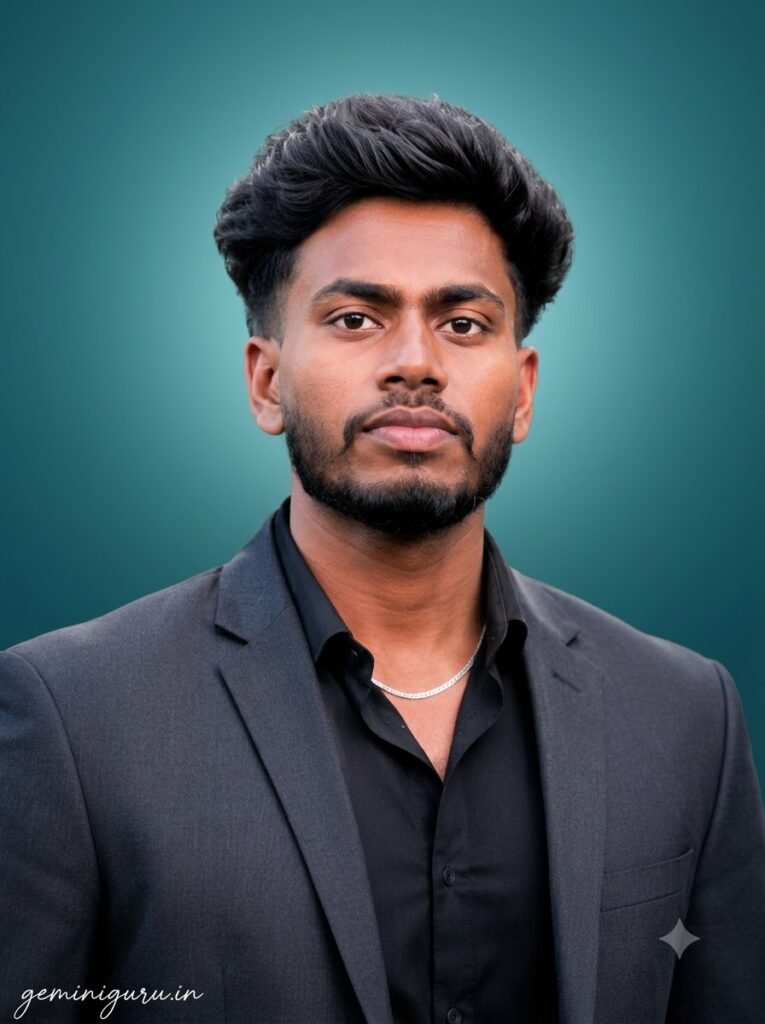
Use uploaded reference image only. Keep the person exactly as they are — face, hairstyle, expression, clothing, body position and skin tone must remain 100% unchanged. Do not retouch or smooth the face. Only replace the background. BACKGROUND: Smooth studio gradient going from deep teal at the bottom to a lighter teal at the top, with a soft glow directly behind the head. Clean and modern, no texture or objects. EDGES: Keep hair strands and shoulder edges soft and natural. The glow behind the head should separate the subject from the background naturally, without creating a visible outline. SIGNATURE: Add geminiguru.in bottom-left corner. Handwritten signature-style typography, thin cursive, small size, subtle premium elegance, white or soft off-white color.
Best for Instagram grids and thumbnails. To change the colour, you only need to replace the colour name in the prompt.
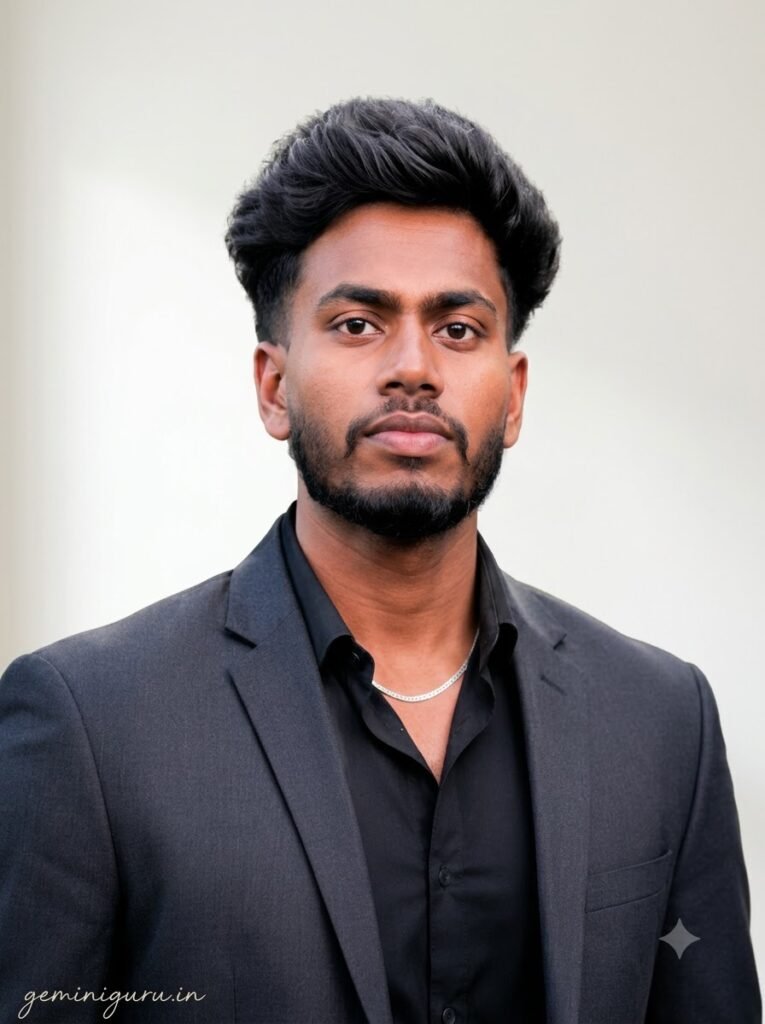
Use uploaded reference image only. Keep the person exactly as they are — face, hairstyle, expression, clothing, body position and skin tone must remain 100% unchanged. Do not retouch or smooth the face. Only replace the background. BACKGROUND: Simple clean off-white home interior wall with soft natural window light from the left and a gentle shadow gradient. Remove all clutter, furniture, wires, switches and hanging items. Keep it minimal and tidy. EDGES: Keep hair strands and shoulder edges soft and natural. Preserve the original direction and softness of the light falling on the subject so the new wall looks like the same room. SIGNATURE: Add geminiguru.in bottom-left corner. Handwritten signature-style typography, thin cursive, small size, subtle premium elegance, white or soft off-white color.
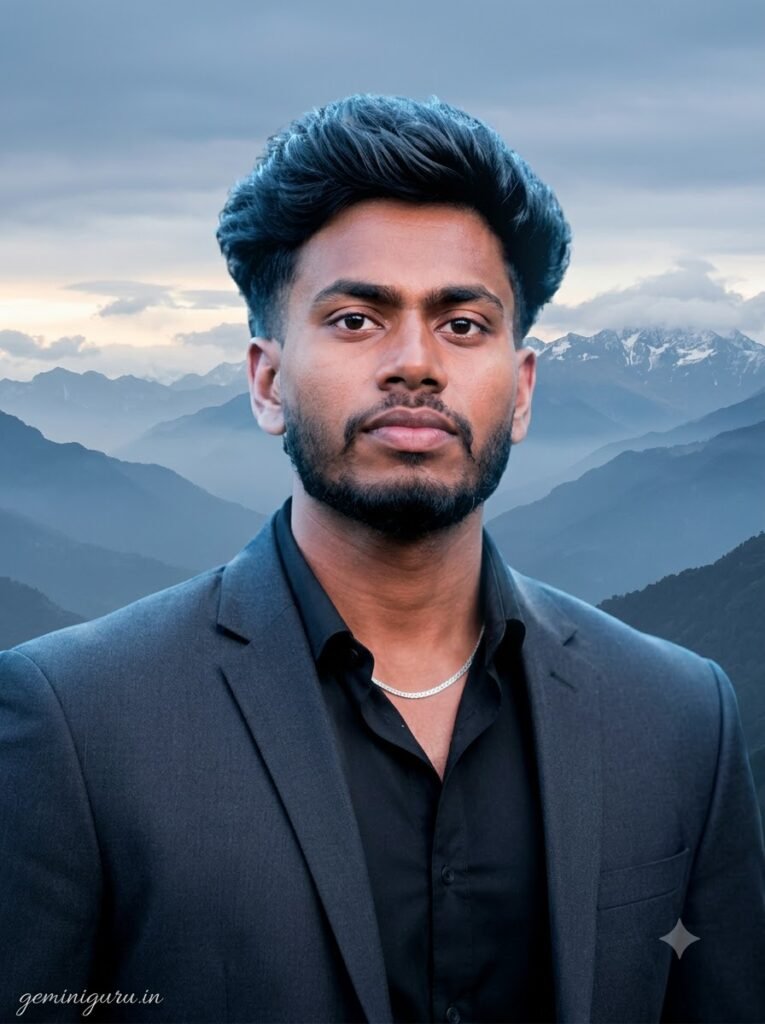
Use uploaded reference image only. Keep the person exactly as they are — face, hairstyle, expression, clothing, body position and skin tone must remain 100% unchanged. Do not retouch or smooth the face. Only replace the background. BACKGROUND: Wide Himalayan mountain landscape with layered ridgelines fading into atmospheric haze, patches of snow on the far peaks, soft clouds. Cool blue and grey palette with a hint of warm light near the horizon. EDGES: Keep hair strands and shoulder edges soft and natural. Add gentle cool ambient light along the edges so the subject sits believably in an outdoor scene. Do not increase sharpness on the face. SIGNATURE: Add geminiguru.in bottom-left corner. Handwritten signature-style typography, thin cursive, small size, subtle premium elegance, white or soft off-white color.
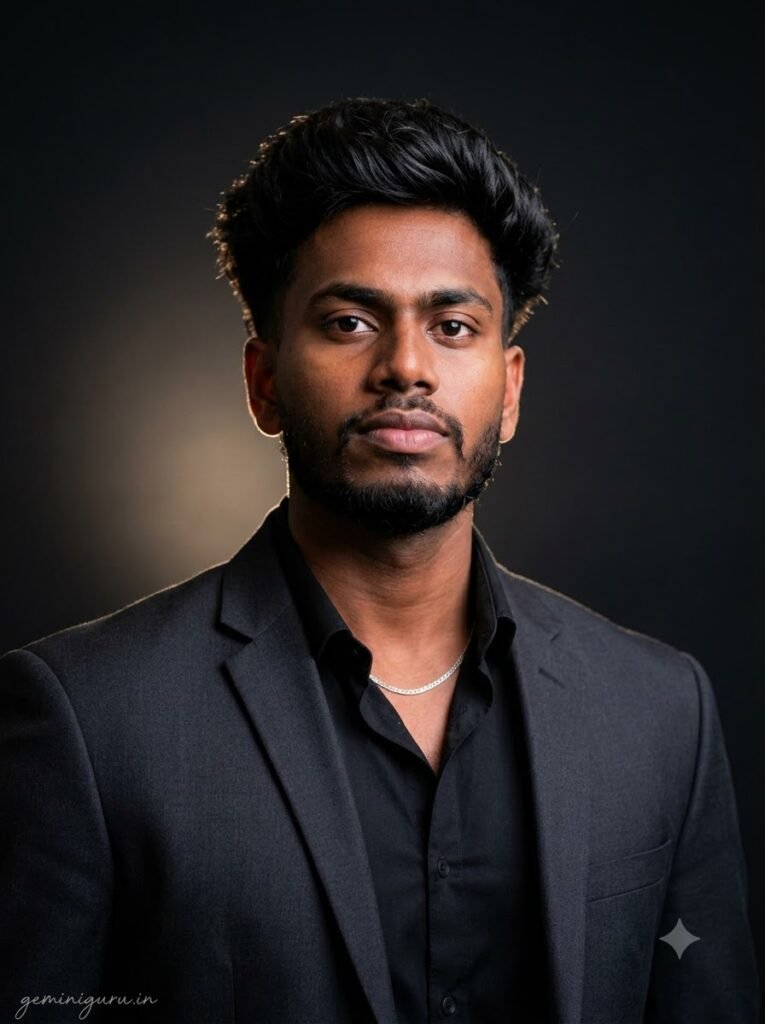
Use uploaded reference image only. Keep the person exactly as they are — face, hairstyle, expression, clothing, body position and skin tone must remain 100% unchanged. Do not retouch or smooth the face. Only replace the background. BACKGROUND: Deep charcoal-black studio backdrop with a single soft pool of light behind the shoulder, fading quickly into darkness. Rich, minimal and dramatic. No texture or props. EDGES: Keep hair strands and shoulder edges soft and natural. Darker hair must stay separated from the black background using a subtle rim highlight, not an outline. Preserve fine flyaway hair detail. SIGNATURE: Add geminiguru.in bottom-left corner. Handwritten signature-style typography, thin cursive, small size, subtle premium elegance, white or soft off-white color.
Common Problems and Fixes
- Did the face change? The instruction “Only replace the background” may have been missed. Make sure every prompt clearly includes this instruction.
- Do the edges look like a cut-out? Paste the complete EDGES section into the prompt. This is the part most commonly skipped.
- Does the subject look pasted onto the background? The background lighting may not match the lighting in the original photo. Add “match the background light direction to the existing lighting on the subject” to the prompt.
- Is fine hair disappearing? Add “Preserve fine flyaway hair detail,” especially when using dark backgrounds.
FAQ
Can Gemini Change a Background for Free?
Yes. The free tier is usually enough for this type of edit. Daily generation limits may apply, but background replacement is a relatively simple edit and often works within the first or second attempt.
Will These Prompts Work in ChatGPT Too?
Yes. ChatGPT may sometimes create a more stylised background. If the result looks too artificial, add “photorealistic background, natural depth of field, no illustration” at the end of the prompt.
Can These Prompts Be Used for ID or Passport Photos?
They can be useful for personal purposes, but always check the official requirements of the relevant authority before using an AI-edited image for official documents. Some organisations may not accept AI-edited photos, and official photos often require specific dimensions and background colours.